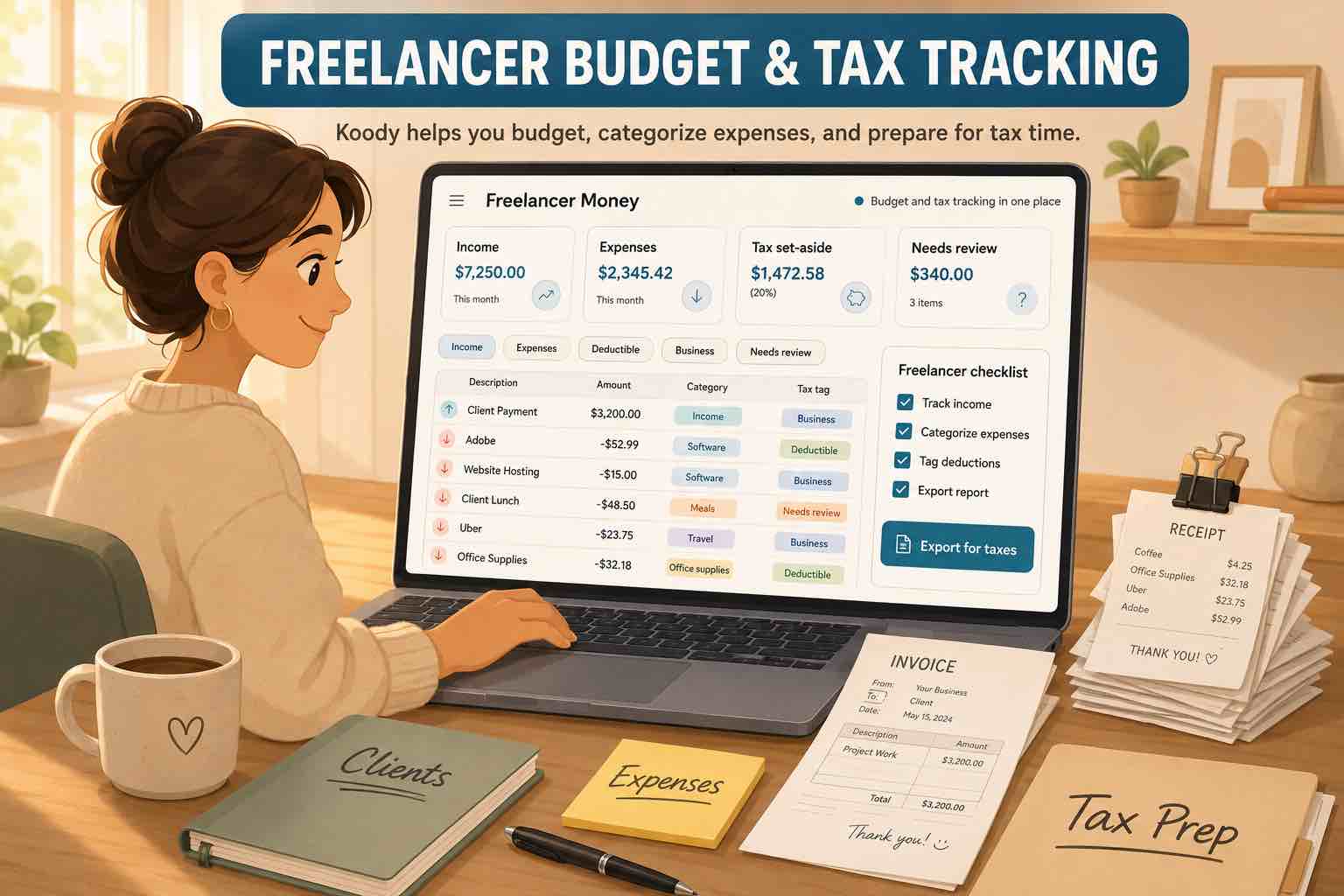
Freelance money rarely arrives neatly. One month has three client payments. The next month is late invoices, a platform payout, a refund, a software renewal, and a personal grocery run on the same card you used for business supplies.
Most freelancers do not need to become bookkeepers. They need enough structure for the budget to make sense today and the records to make sense later.
Important: Koody helps you budget and organize records before tax prep. It does not file taxes, decide deductibility, or replace a qualified tax professional. Use Koody to organize the records you or your tax professional may need.
The freelancer money problem
Freelancers have two problems at the same time:
- Personal money still has to work: rent, food, bills, debt, savings, transport, childcare, family, and emergencies.
- Business money needs records: income, expenses, receipts, notes, refunds, transfers, and tax-prep files.
If those two sides share a card or checking account, the records can get messy fast. A credit card payment can look like an expense. A transfer can look like income. A client refund can blend into personal spending. A restaurant charge can be personal Eating Out or Business Meals.
Koody helps you separate those rows without making day-to-day budgeting harder than it needs to be.
What to separate first
Start with the rows that cause the most confusion.
- Salary vs. Revenue: W-2 pay and freelance business income should not blend together.
- Personal spending vs. business spending: groceries are not supplies; Eating Out is not automatically Business Meals.
- Transfers: moving money between your own accounts is not the same as earning or spending.
- Credit card payments: paying the card is account movement; the real spending is on the card transactions.
- Owner draw / personal: taking money out of the business is different from an ordinary business expense.
- Refunds and reimbursements: connect money coming back to the original charge when you can.
- Mixed purchases: split one transaction when part is personal and part is business.
This is where freelancers get a lot of value from Koody. You can keep personal categories and business categories in the same app, then use notes, receipts, and splits when a row needs context.
Keep freelance income and expenses organized.
Use Koody to separate personal spending, business records, receipts, notes, transfers, refunds, and owner draws before tax season.
Track in KoodyBuild a simple freelancer setup in Koody
A useful freelancer setup can be simple:
- Add the accounts you use: checking, credit card, cash, savings, business account, or side-hustle account.
- Keep personal categories for household spending.
- Keep business categories for freelance records.
- Add recurring bills, subscriptions, expected income, and client payments.
- Attach receipts and notes to rows that need explanation.
- Split mixed purchases by category.
- Export records when you need a spreadsheet, accountant file, or tax-prep review.
You can start with a few categories and add detail when the records actually need it.
Tracking taxable income before tax prep
Freelancers often need to know which money looks like business income before tax season. Koody helps you keep those rows visible.
Track:
- Client payments.
- Platform payouts.
- Cash income.
- Refunds and chargebacks.
- Other business income.
- Transfers that should stay out of income totals.
Koody helps organize the records. A qualified tax professional decides what goes on the return.
If you need more detail on IRS recordkeeping, read our guide to small business recordkeeping for taxes.
Expense tracking for freelancers
Freelancer expenses depend on the work. A designer, tutor, barber, lawyer, driver, cleaner, photographer, therapist, or Etsy seller will not use the same categories.
Common examples include:
- Software and subscriptions.
- Supplies and office expense.
- Marketing and advertising.
- Contractors and helpers.
- Business meals, travel, and car costs.
- Home office records.
- Legal and professional services.
- Taxes and licenses.
- Fees, refunds, and reimbursements.
Koody helps you keep the transaction, category, receipt, and note together so the record can be reviewed later.
For category mapping, read our guide to Schedule C expense categories.
How Koody helps when you are behind
If you are behind, do not try to rebuild months of history by memory. Import transaction files from your bank, card, spreadsheet, CSV export, or old app.
Koody can help clean merchant names, auto-categorize rows, flag likely duplicates, and make repeated fixes faster. You still review the rows before relying on them.
Then attach receipts, add notes, split mixed transactions, and export records when you need a file.
That is often enough to turn a messy pile into records someone can review.
Import, auto-categorize, attach receipts, and export.
Koody helps you catch up from transaction files, review the rows, keep receipts with charges, and export records before tax season.
Open KoodyFAQs
1. What is a good budgeting app for freelancers?
A good budgeting app for freelancers should handle irregular income, business expenses, receipts, notes, personal spending, business categories, and exports. Koody helps freelancers keep those records in one app without linking a bank.
2. Can I track personal and business money together in Koody?
Yes. Koody lets you keep personal and business money in one app. Use personal categories for household spending, business categories for work records, and splits when one transaction belongs in more than one place.
3. What income should freelancers track in Koody?
Track client payments, platform payouts, cash income, refunds, reimbursements, and any other money connected to your freelance work. Add notes when a payment needs context before tax prep.
4. How does Koody help freelancers before tax prep?
Koody helps you keep income, expenses, receipts, notes, categories, split transactions, owner draws, and exports in one place, so your records are easier to review when tax season arrives.
5. Can I export freelancer records from Koody?
Yes. Koody lets you export transaction records so you can review them in a spreadsheet, keep a backup, or share cleaner records with an accountant or tax preparer.
6. What categories should freelancers use?
Common freelancer categories include Revenue, Marketing & Advertising, Office Expense, Supplies, Business Meals, Business Travel, Legal & Professional Services, Taxes & Licenses, Home Office, Business Utilities, and Other Business Expenses. Use the categories that match your actual records.