A manual expense tracker app for daily spending.
Track spending manually in minutes. Add your accounts, log today's expenses, attach receipts, and keep subscriptions or bills visible without linking your bank. Start free, then upgrade when you want deeper planning.


How it works
The goal is not to build a perfect system on day one. It is to create a manual expense tracker you will actually use after the coffee run, grocery trip, or late-night delivery order.
Koody keeps that first win simple: add your accounts, log today's spending, and see the category totals move right away. That is enough to start building awareness and better habits.
Add Your Accounts
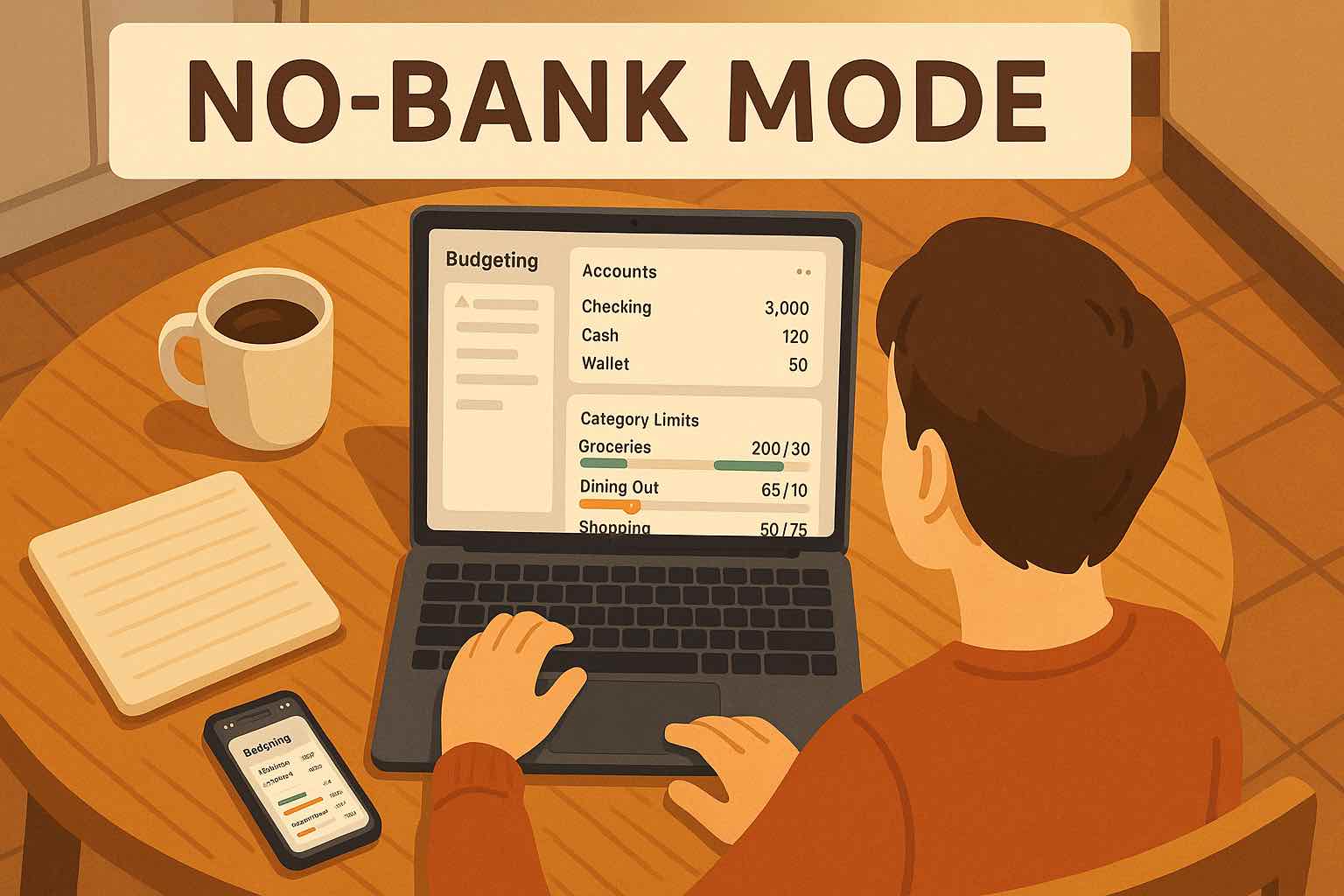
Create the accounts you actually use: checking, savings, credit cards, or cash. There is no bank connection step, so setup stays quick and low-friction.
Log Today's Spending
Enter an expense in seconds from mobile or desktop. Pick the account, amount, date, and category, then move on with your day.
See Where Money Went
As soon as transactions are in, Koody turns them into category totals and a clear running history. The first win is simple: you tracked today.
Why manual tracking still works for a lot of people.
Manual entry is not about doing more work for the sake of it. It is about staying aware, working with real-life money setups, and starting without bank-link friction.
More Awareness
Manual entry adds a useful pause between spending and forgetting. You see the amount and category while the purchase is still fresh.
Works With Real Life
Cash, side income, separate cards, and unsupported banks all fit naturally when you track expenses on your own terms.
No Bank-Link Friction
Skip credential sharing, connection failures, and delayed syncs. Your expense tracker starts working immediately.
Fast Enough To Keep Up
The goal is not perfect bookkeeping. It is fast daily tracking you can actually maintain without turning money management into a second job.
MANUAL ACCOUNTS
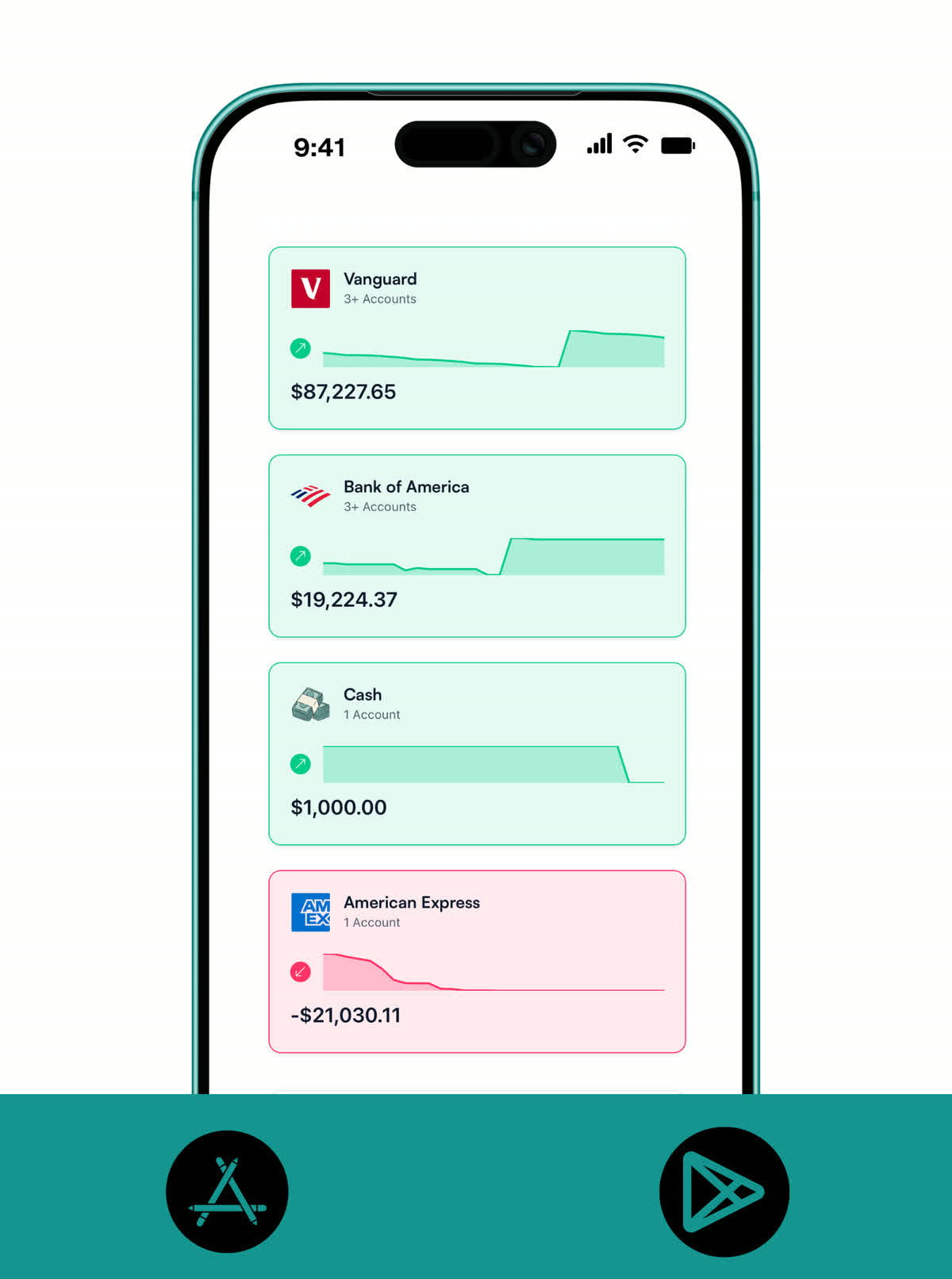
Add every account you want to track.
A manual expense tracker works best when it mirrors real life. Add the checking account you spend from, the card you use most, and the cash you still carry, so your totals stay grounded in reality.
- Add checking, savings, credit cards, and cash accounts manually in one place.
- Keep separate pots for side income, household cash, or cards you only use occasionally.
- See your balances and spending history without waiting on a bank sync.
DAILY ENTRY
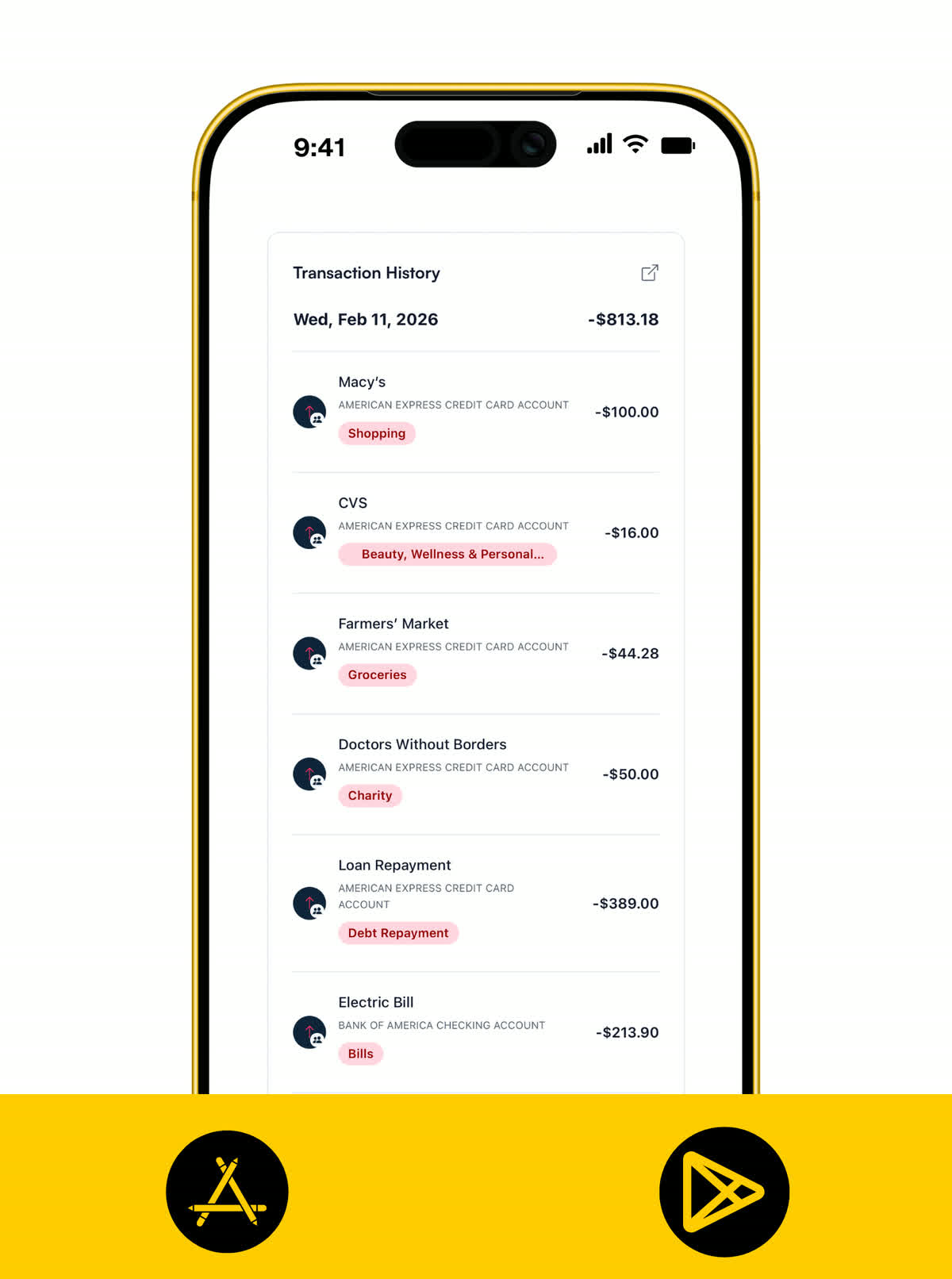
Log expenses in seconds, not spreadsheets.
The best manual expense tracker is the one you can keep up with on an ordinary Tuesday. Koody keeps the entry flow short so tracking feels like a habit instead of admin.
- Log expenses from mobile or desktop with account, amount, date, and category.
- Keep entries lightweight with optional notes when context helps later.
- Use the same flow for card payments, transfers you want to track, and cash spending.
CATEGORIES
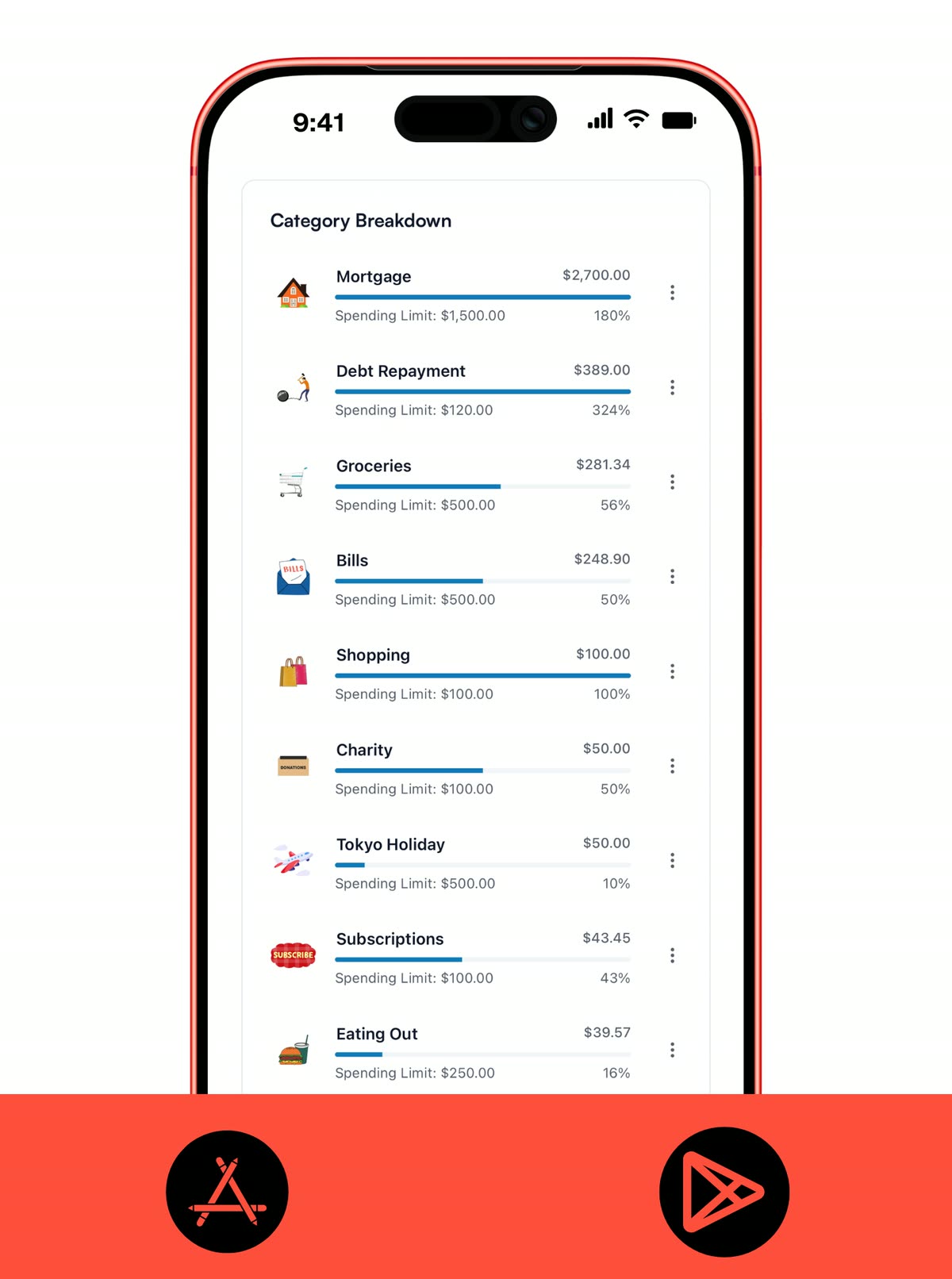
See category totals the same day you spend.
Manual tracking becomes useful fast when every transaction lands in a category you can understand. Koody turns entries into a cleaner picture of what is happening right now, not just at month-end.
- Use built-in categories to organize groceries, transport, eating out, bills, shopping, and more.
- See which categories are moving today, this week, or this month without spreadsheet formulas.
- Catch drift early so small habits do not turn into end-of-month surprises.
BUDGETS
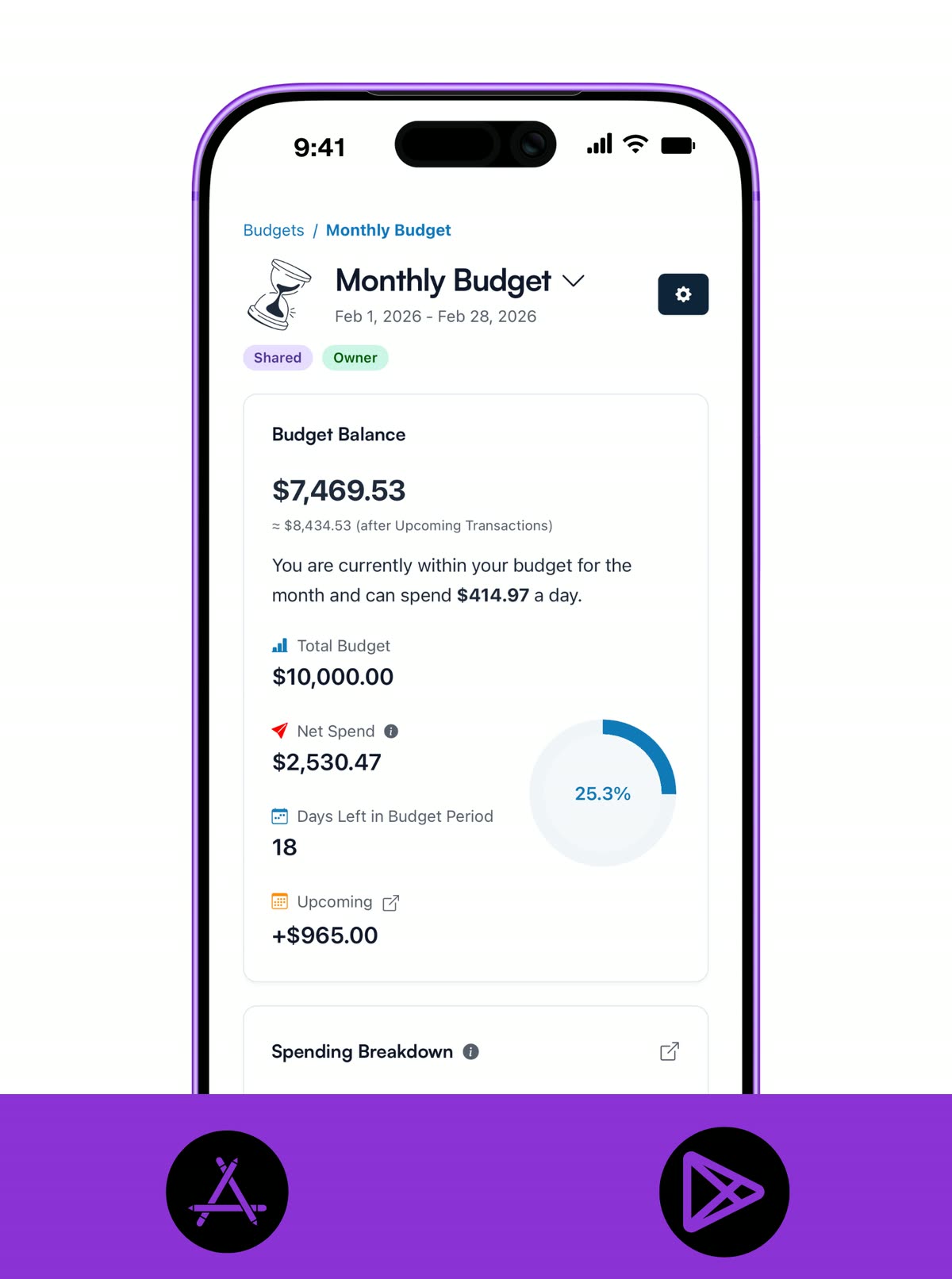
Move from tracking into planning when you are ready.
Manual tracking is the starting point, not the finish line. When you want a steadier plan, Standard adds budgets and payday-aware planning on top of the same accounts and spending history you already built.
- Move into Standard when you want category budgets and clearer monthly pacing.
- See what is left by category and where you are starting to drift before the month gets messy.
- Use payday sync and custom planning dates on Standard when monthly budgeting is not how you actually get paid.
KOODY AI
Ask better money questions without digging through reports.
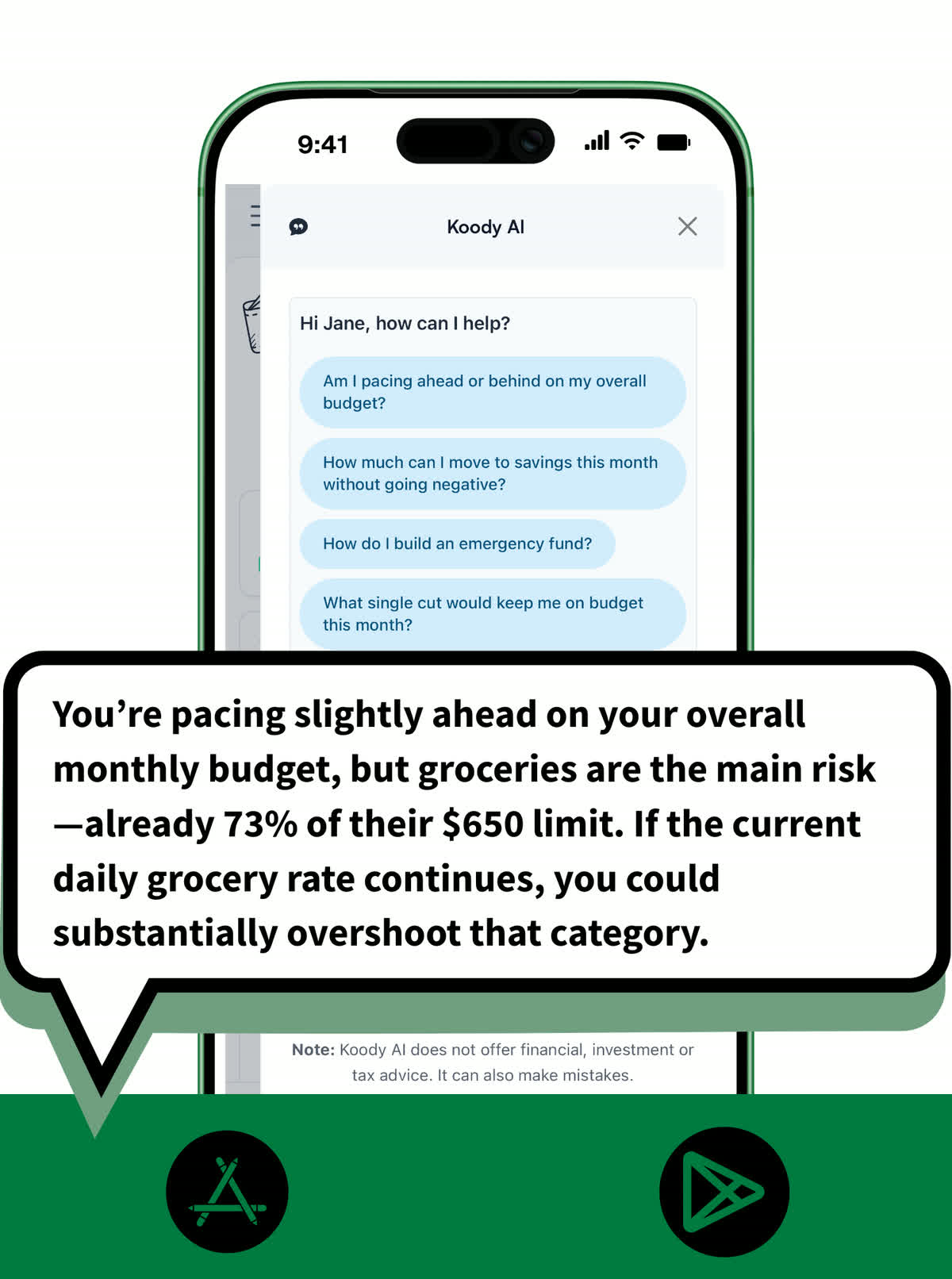
Koody AI is a fast way to understand what your tracked data is trying to tell you. Instead of guessing from raw numbers, you can ask for clarity in plain English and get a practical next step.
- Ask plain-English questions about spending patterns, cash flow, and category pressure.
- Run simple what-ifs before a purchase or plan change without digging through multiple screens.
- Use Koody AI to turn tracked data into practical next steps instead of just more charts.
RECEIPTS
Keep proof of purchase with the expense.
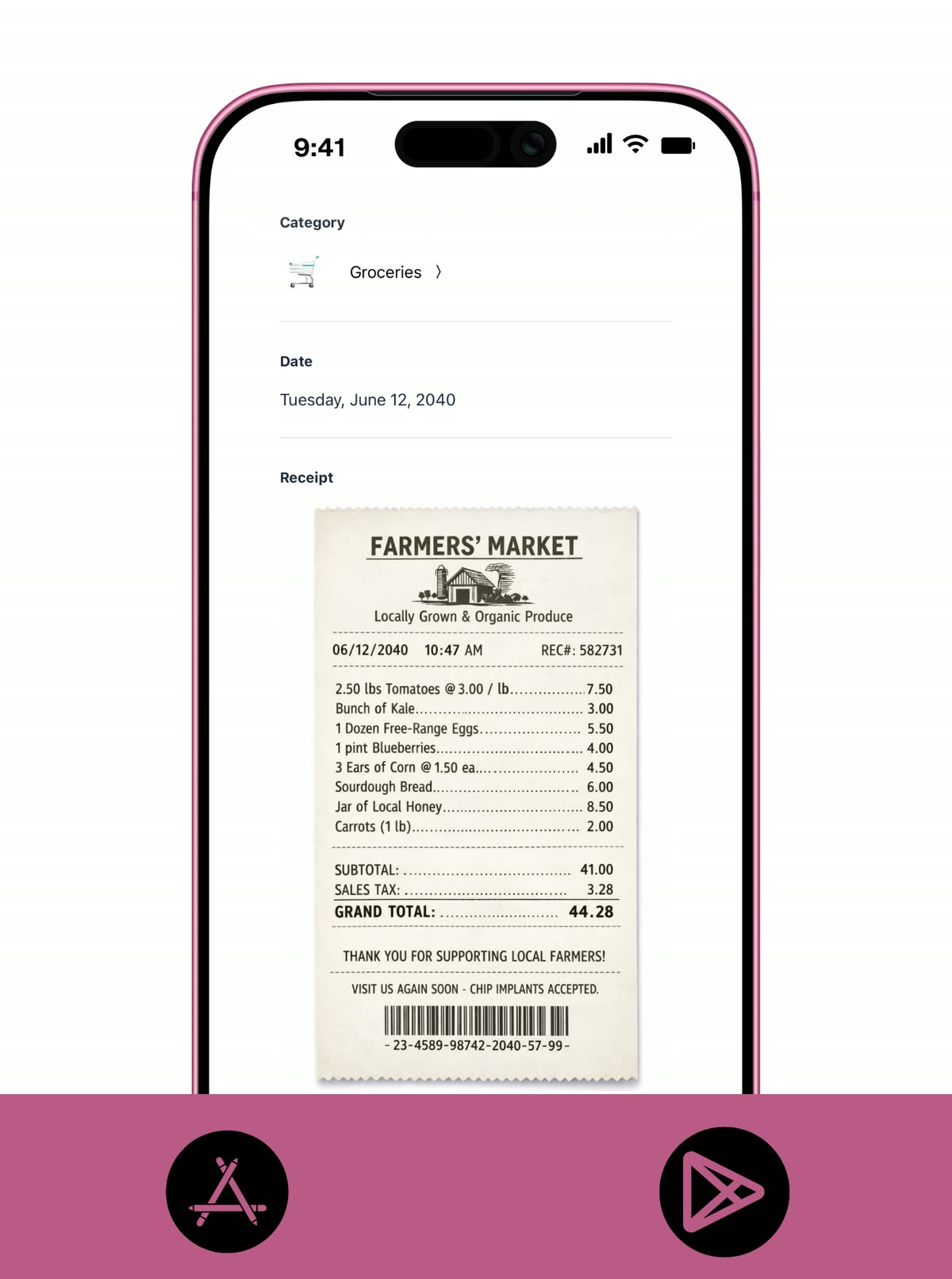
Receipt upload is one of the easiest ways to make manual tracking more useful. Returns, reimbursements, and tax-time reviews all get easier when the proof is attached to the same transaction.
- Attach receipt photos or files to the matching expense from phone or desktop.
- Keep proof of purchase beside the amount, date, and category so nothing gets lost.
- Make returns, reimbursements, and tax-time reviews much easier to manage.
BILLS AND SUBSCRIPTIONS
Keep repeat charges on your radar.
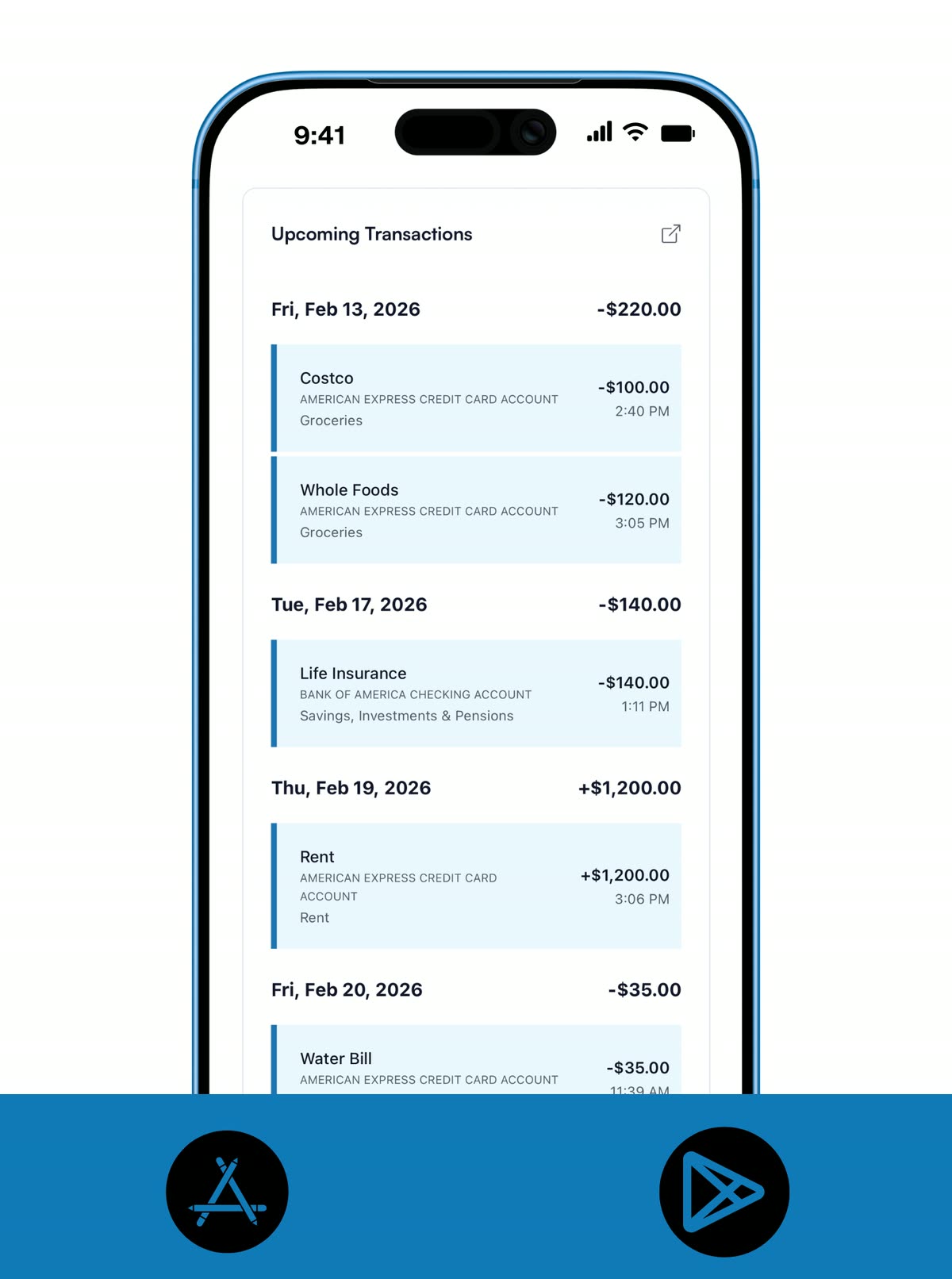
Regular bills and subscriptions are often where a "simple" month stops feeling simple. Koody helps you keep those repeat charges visible without forcing you into a bigger planning workflow on day one.
- Keep subscriptions and regular bills visible in the same tracker as daily spending.
- Spot repeat charges before they pile up quietly in the background.
- Upgrade to Standard later if you want recurring transactions generated automatically.
Pricing
Start with free manual tracking, then upgrade when you want budgets, recurring transactions, payday sync, or exports.
Free
Track money by hand, calculate your tax set-aside, and talk to Koody AI.
- Input transactions manually
- Add bank accounts
- Track spending and income (up to 1 year)
- Categorize transactions
- Monitor subscriptions or bills
- Koody AI
- Upload receipts
- Calculate your tax set-aside
- Access on mobile and desktop
Standard
Budgets that match your paydays, longer history, and exports.
- Everything in Free
- Track spending and income (up to 3 years)
- Add new categories
- Auto-generate recurring transactions
- Export transactions (CSV, Excel, JSON)
- Create and manage budgets
- Sync budgets with your payday
- Create recurring budgets
Plus
Statement imports, auto-categorization, and unlimited history.
Don't love Plus? Ask for your money back within 30 days.
- Everything in Standard
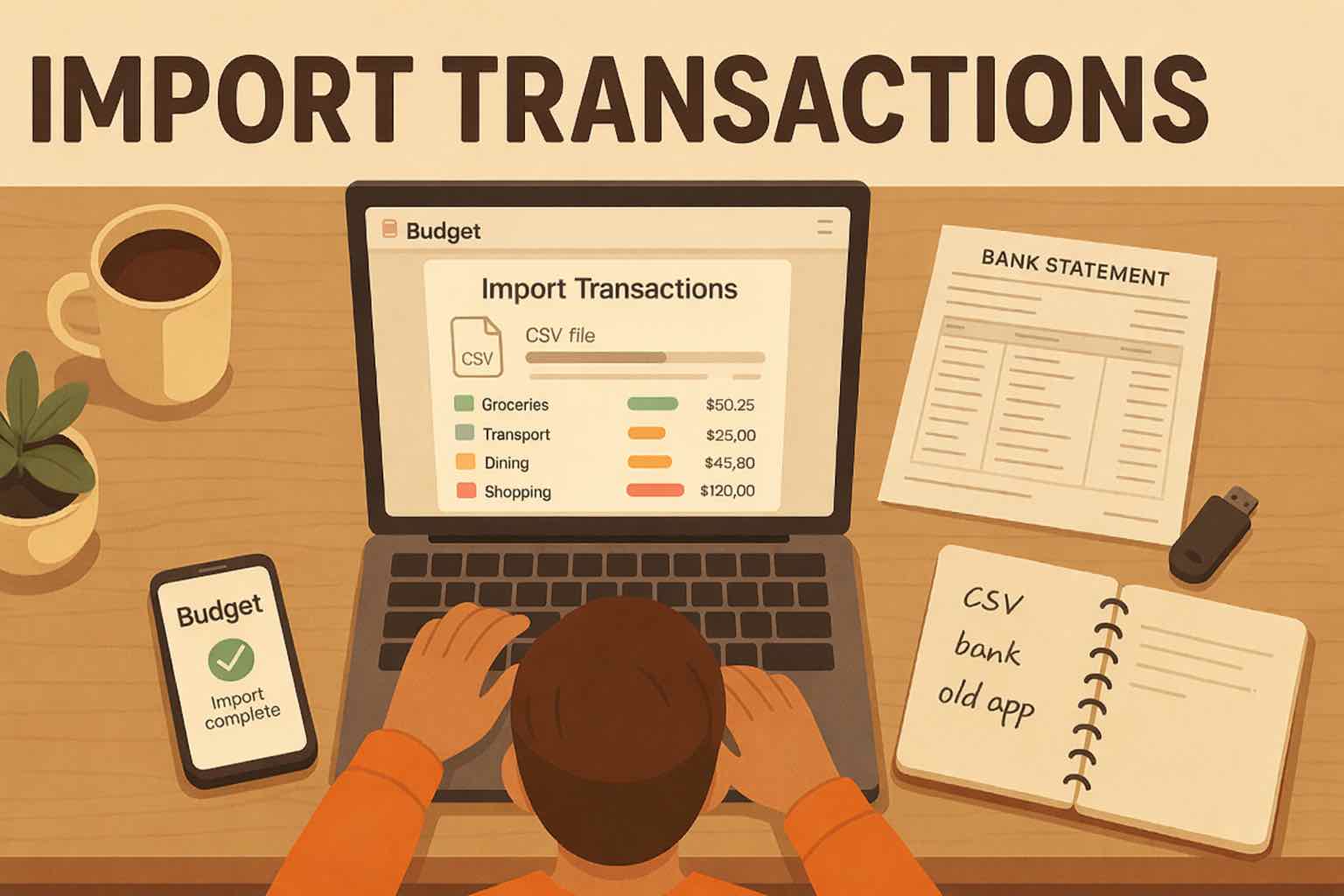
- Import transactions from bank and credit card statements (CSV files only)
- Track spending and income (unlimited years)
- Automatic transaction categorization
- Unlimited categories
- Automatic detection of recurring transactions
- Advanced Koody AI
- Keep budgets active indefinitely
Ready to track today's spending?
Start free. Stay manual. Upgrade only when you want more planning power.


Helpful articles from the Koody blog

Frequently asked questions
Do I need to link my bank account to use Koody as a manual expense tracker?
No. Koody works without bank linking. Add accounts manually, then log expenses as they happen or during a short daily check-in.
Is Koody free for manual expense tracking?
Yes. Koody's Free plan covers manual transaction entry, manual accounts, built-in categories, receipt upload, subscriptions or bills visibility, and up to one year of history.
Can I track cash spending in Koody?
Yes. Add a cash account and log cash purchases the same way you would log card spending, so cash does not disappear from your totals.
How fast is manual entry in Koody?
The goal is a few seconds per expense: choose the account, enter the amount, pick a category, and save. Most people keep up with a quick daily routine.
Can I upload receipts to my expenses?
Yes. You can attach receipt photos or files to the matching expense on mobile or desktop, which keeps proof of purchase next to the transaction.
Can I keep subscriptions or bills visible in Koody?
Yes. Koody helps you keep regular charges in view alongside your day-to-day transactions. If you later want recurring transactions generated automatically, that is part of Standard.
What if I miss a few expenses?
That is normal. Add them when you catch up, then compare your tracked balances with reality and keep moving. Consistency matters more than same-minute perfection.
Can I use Koody on both mobile and desktop?
Yes. Koody is available on mobile and desktop, so you can enter expenses on the go and review patterns on a bigger screen later.
Can I make my own categories on the Free plan?
Free includes built-in categories. If you want to add custom categories, that is part of the Standard plan.
What happens if I outgrow simple tracking?
Start with Free for tracking and awareness. Upgrade to the Standard plan when you want budgets, automated recurring transactions, payday sync, and exports.
Can households use this setup?
Yes. A household can use Koody as a clearer manual tracking system, with one account owner maintaining the budget records.
Can I move to CSV imports later?
Yes. If you want a faster catch-up workflow later, Plus adds CSV imports and unlimited history without replacing your manual-first setup.