This guide is not a tax filing guide. It is a record-prep guide for people who need their business transactions organized before a tax preparer, accountant, or bookkeeper looks at them.
If you work for yourself, your business expenses can look completely different from someone else's. A barber might track chair rent and supplies. An Etsy seller might track materials, packaging, and marketplace fees. A driver might track car costs. A consultant, creator, or solo professional might track software, licenses, meals, travel, and contractor help.
The category names change, but the job is the same: sort the transactions into plain groups, keep the proof close by, and make the records easier to review before tax season.
Important: Koody is a budgeting and record-prep app, not a tax filing service, accountant, tax preparer, or law firm. Use Koody to organize transactions, notes, receipts, categories, exports, and draft summaries. A qualified tax professional should decide final filing treatment, deductions, depreciation, home office rules, and IRS responses.
Who this guide is for
This post is for sole proprietors, freelancers, gig workers, independent contractors, and side hustlers who are not ready to turn their life into a full accounting system, but are tired of year-end chaos.
You might be:
- A solo lawyer, consultant, designer, coach, writer, photographer, or therapist.
- A person selling on Etsy, Vinted, eBay, Facebook Marketplace, or Shopify.
- A barber, hairstylist, cleaner, tutor, or service provider taking payments from different sources.
- A rideshare, delivery, or local contractor managing business costs alongside normal household spending.
- A W-2 employee with a side business who wants clean records before handing anything to an accountant.
The point is not to memorize every tax rule. The point is to keep records clear enough that the person preparing or reviewing your return does not have to reconstruct your year from bank shorthand, screenshots, and memory.
What Schedule C categories are trying to organize
Schedule C is where sole proprietors report business income and expenses. The category lines are not meant to describe every business in perfect everyday language. They are meant to group records in a consistent way.
That is why a transaction like "Westlaw legal research subscription" might feel like software to the person running the business, but still needs to land in a review category that makes sense for tax prep. A court filing fee, bar license, client lunch, home office allocation, and owner draw are all different kinds of records.
Koody's job is to help you get from messy rows to reviewable records:
- Money received from clients and platforms.
- Refunds, returns, allowances, and reimbursements.
- Business expenses grouped into useful categories.
- Owner draws, transfers, and credit card payments separated from ordinary expenses.
- Receipts, invoices, notes, and context attached while you still remember the purpose.
Your accountant's job is different. They decide what belongs on the return, what needs another form, what should be depreciated, what should be split, and what is not deductible.
Plain-English Schedule C category map
Use this as a plain-English starting point, not tax advice. Your accountant may map a cost differently based on your business, records, accounting method, and final tax return.
| Schedule C area | What it usually means |
|---|---|
| Gross receipts or sales | Money your business earned from clients, customers, platforms, services, or sales. |
| Returns and allowances | Refunds, rebates, returned payments, or reductions that lower business income. |
| Advertising | Money spent to promote the business, such as ads, printed materials, campaigns, or marketing tools. |
| Car and truck expenses | Business vehicle costs, parking, tolls, mileage-related records, or other driving costs that need business-use context. |
| Commissions and fees | Processor fees, marketplace fees, platform fees, bank fees, referral fees, or similar charges. |
| Contract labor | Payments to nonemployees who helped the business, such as freelancers, assistants, subcontractors, or specialists. |
| Insurance | Business insurance, such as professional liability, equipment insurance, or other business coverage. |
| Interest | Interest on business debt, usually reviewed separately from personal debt or loan principal. |
| Legal and professional services | Professional help for the business, such as accounting, bookkeeping, tax prep, legal help, or advisory services. |
| Office expense | Office tools and admin costs, such as software, postage, printer costs, office apps, and business supplies that are not inventory. |
| Rent or lease | Rent for office space, business property, vehicles, or equipment used by the business. |
| Repairs and maintenance | Costs to fix or maintain business property, tools, equipment, or workspaces. |
| Supplies | Everyday items used up in the business, such as paper, packaging, cleaning supplies, tools, or materials. |
| Taxes and licenses | Business licenses, registration fees, permits, and some business taxes. |
| Travel | Business travel costs away from home, usually with receipts, dates, and business purpose notes. |
| Meals | Business meals that need context, such as who was there, why it was business-related, and what proof you have. |
| Utilities | Business phone, internet, electricity, or similar utility costs. |
| Home office | Business use of part of your home, which may need extra review before it goes on a return. |
| Other expenses | Ordinary business costs that do not fit the standard lines but still need a clear description. |
| Inventory / COGS | Product costs for sellers when inventory or merchandise is part of how the business makes money. |
Not every category applies to every business. A product seller may care about inventory. A rideshare driver may care more about car records. A barber may care more about supplies, rent, and licenses. The goal is to understand the buckets before you try to clean up the transactions.
Example walkthrough
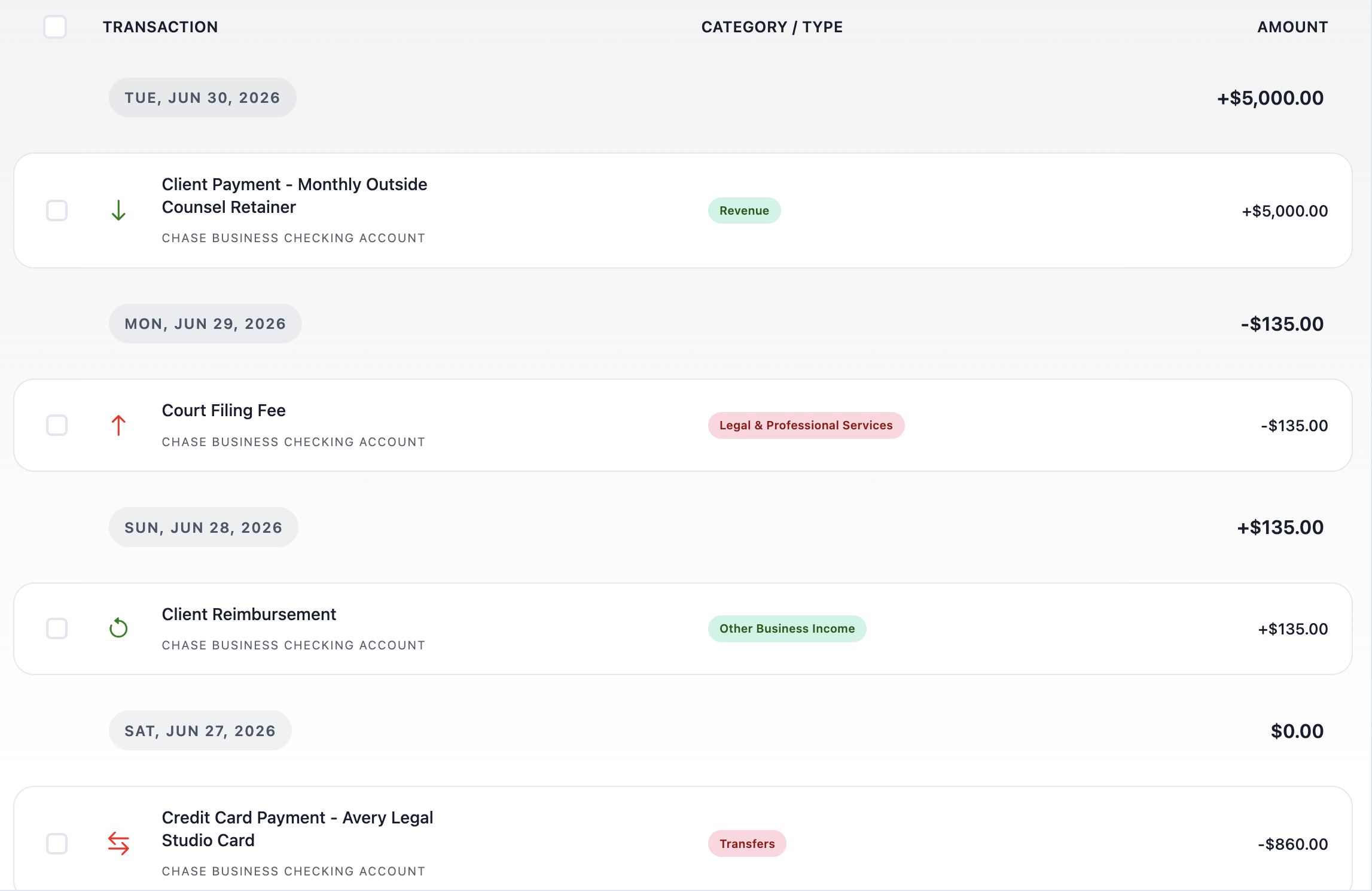
Imagine Avery Legal Studio, a solo legal practice that uses one business checking account and a separate business credit card. Avery exports checking activity as a CSV, then imports it into Koody.
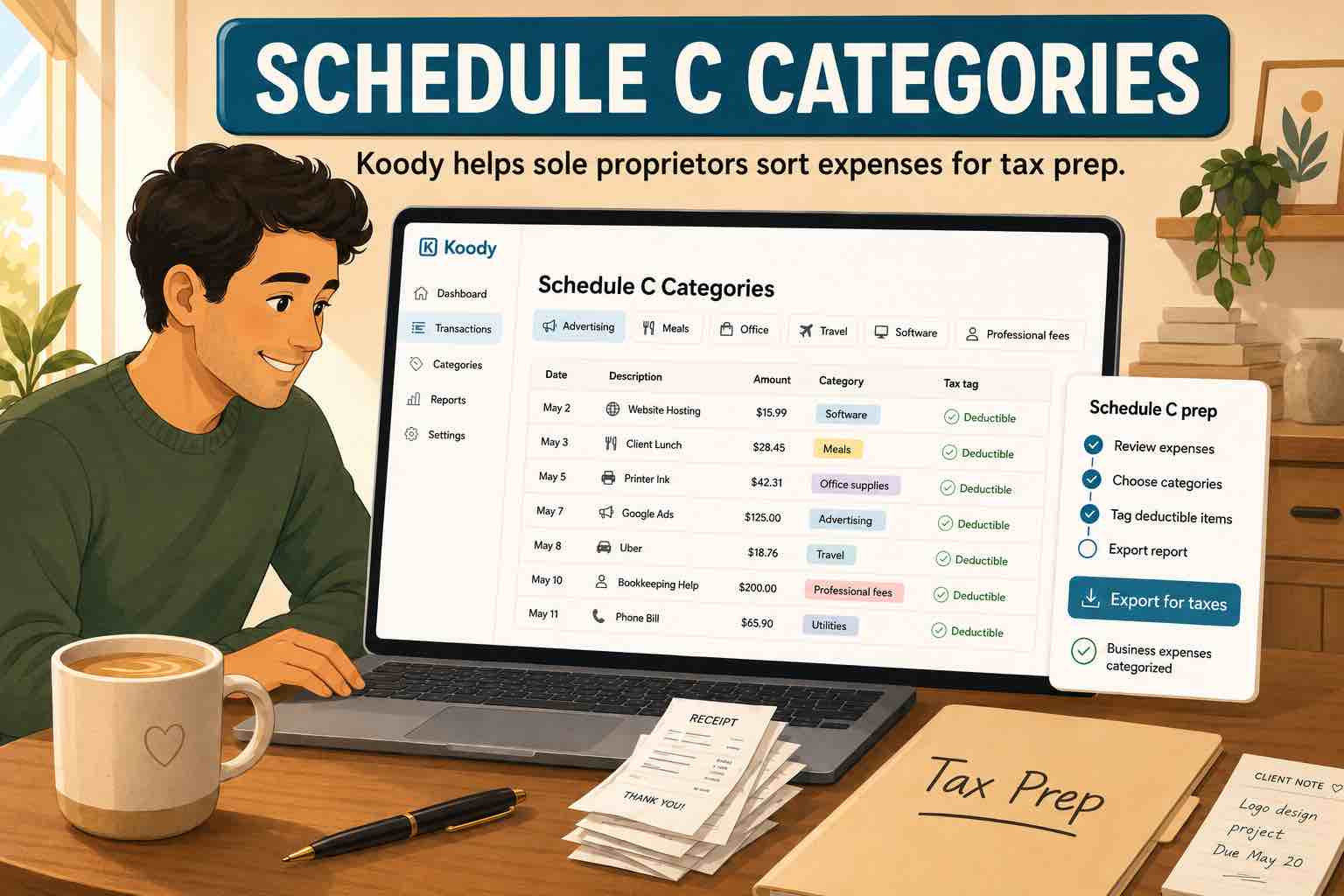
After import, Koody can help Avery review the rows in business language: Revenue, Taxes & Licenses, Contract Labor, Business Meals, Home Office, Owner Draw / Personal, and the other categories that matter for handoff.
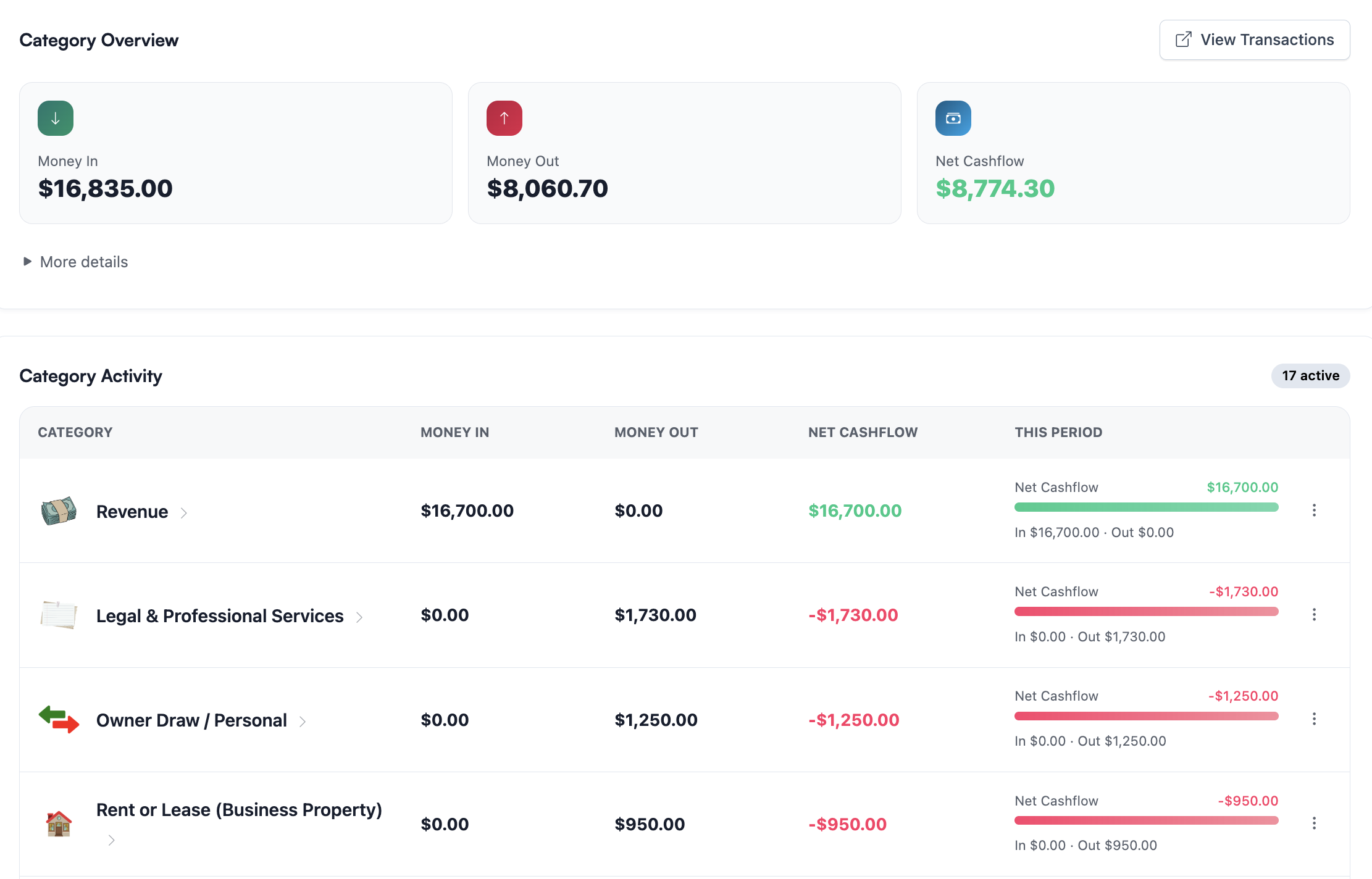
Once the rows are categorized, Avery can step back and look at category totals instead of scrolling through every line again. That makes it easier to spot what looks normal, what looks too high, and what needs a receipt or note.
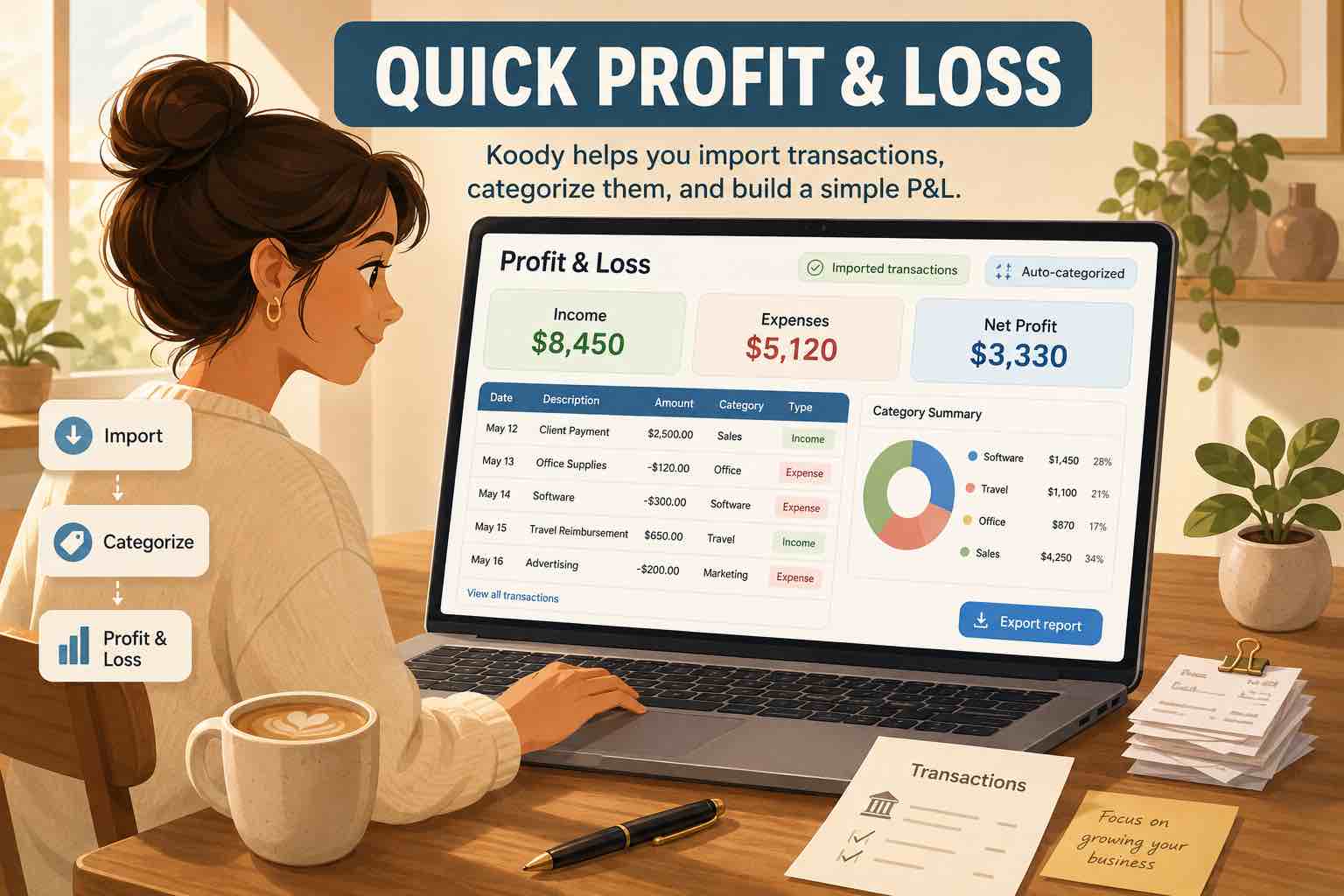
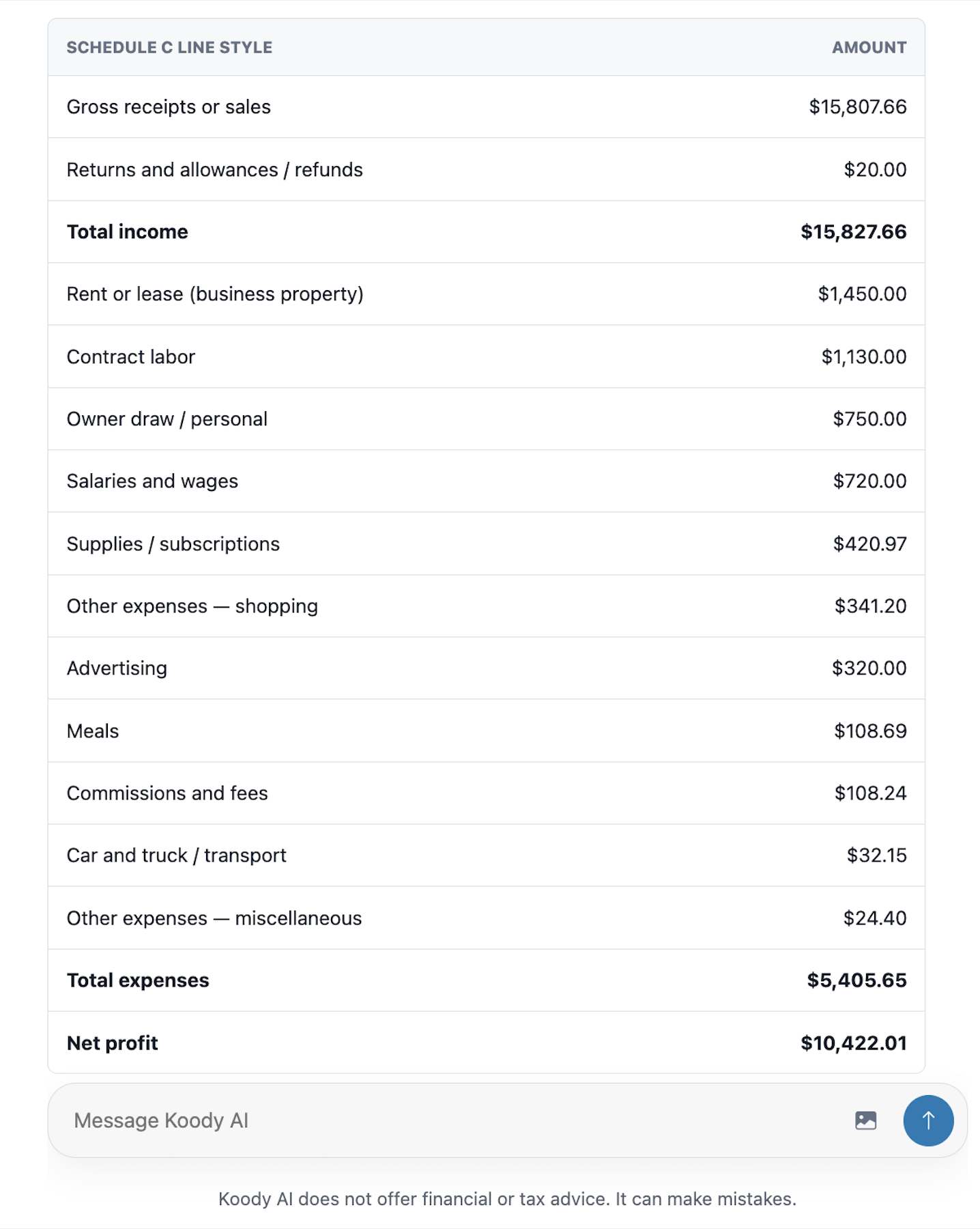
With the categories reviewed, Avery can also ask Koody AI for a draft profit-and-loss style summary. It is not a tax return, but it gives Avery and the accountant a clearer starting point.
What to double-check before accountant handoff
Category cleanup is only part of the job. Before handing records to an accountant, review the rows that usually create confusion.
- Owner draws: keep them visible, but do not let them inflate ordinary business expenses.
- Transfers: separate money moving between your own accounts from actual income and expenses.
- Credit card payments: review the card purchases, not just the payment from checking to the card.
- Refunds and retainers: make sure refunds, reimbursements, client deposits, and returned retainers are explained.
- Mixed-use costs: split or note personal vs. business use where needed.
- Meals, travel, car, and home office: attach receipts, notes, business purpose, and usage context.
- Assets and depreciation: flag furniture, equipment, and larger purchases for accountant review instead of assuming they are ordinary expenses.
This is where Koody's notes, receipts, split transactions, CSV imports, category review, and exports help. The goal is to reduce the amount of guessing your accountant has to do.
What Koody helps with vs. what a tax professional decides
Koody helps with the record-prep layer:
- Import bank and card transactions.
- Auto-categorize transactions for review.
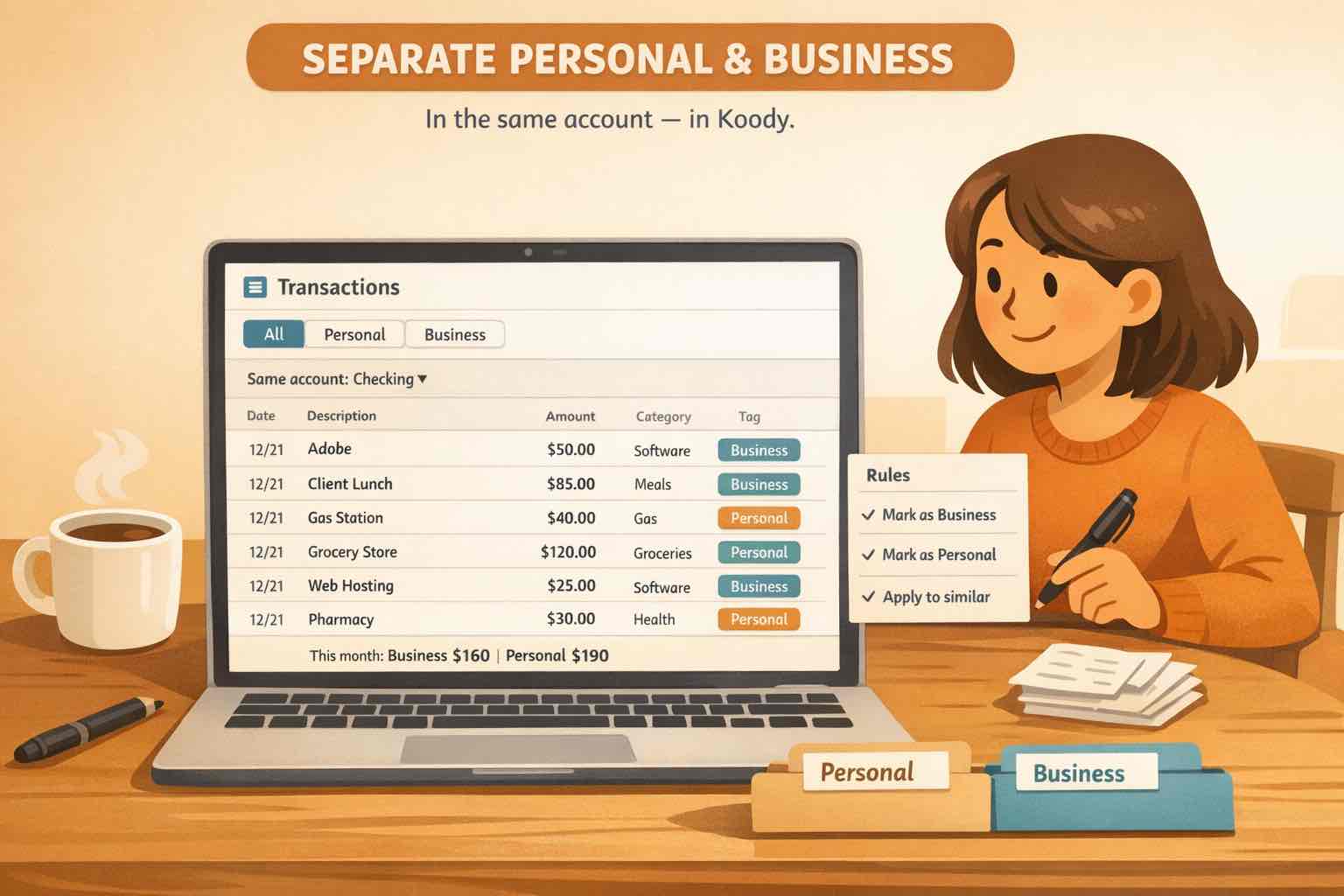
- Keep personal and business categories readable.
- Attach receipts, invoices, screenshots, and notes.
- Split mixed transactions when the context is clear.
- Export filtered records as CSV, Excel, or JSON.
- Generate draft summaries you can review before handoff.
A tax professional decides the filing layer:
- Whether a cost is deductible.
- Which form or line should receive the final amount.
- Whether an item should be capitalized, depreciated, amortized, or expensed.
- How to handle home office rules, vehicle records, inventory, payroll, estimated taxes, and special cases.
- What to do if the IRS or a state tax authority asks for documentation.
For now, think of Koody as the place where the records get organized before final tax review. The cleaner the categories, notes, receipts, and exports are, the easier it is to move from everyday transactions to accountant-ready records.
Keep business records organized in the app you already use
If Schedule C categories feel intimidating, import your transactions into Koody and let Koody auto-categorize them. Koody helps organize income, expenses, transfers, owner draws, and credit card payments into cleaner records, with receipts, notes, and exports ready for review.
Track personal finances and side-business records in one place, then use categories, receipts, notes, imports, and exports when tax season or accountant review comes around.
That is the practical middle ground Koody is built for: personal finance and solopreneur records together, organized enough for real life and cleaner accountant handoff.
Try KoodyFAQs
1. What are Schedule C expense categories?
Schedule C expense categories are the IRS groups sole proprietors use to report business costs, such as advertising, car and truck expenses, contract labor, office expense, supplies, travel, meals, utilities, and other expenses. Koody helps you organize records into reviewable categories, but your accountant or tax preparer should decide final tax treatment.
2. Who should file Schedule C?
Schedule C is generally used by sole proprietors and self-employed people who report profit or loss from a business on their individual tax return. That can include freelancers, gig workers, independent contractors, side hustlers, and single-owner businesses. Ask a qualified tax professional if you are unsure whether Schedule C applies to you.
3. Can Koody file Schedule C for me?
No. Koody does not file Schedule C, determine deductibility, or replace a tax professional. Koody helps you organize transactions, categories, receipts, notes, and exports before accountant review.
4. Should every business use every Schedule C category?
No. A service business may use categories like legal and professional services, taxes and licenses, office expense, travel, meals, and business insurance. A product seller may need inventory or cost of goods sold. A rideshare driver may focus more on car and truck expenses. Use the categories that match your actual records.
5. Can I use Schedule C categories if I also track personal finances in Koody?
Yes. Koody is a great home for sole proprietors who want to manage personal and business finances in one place. You can keep household categories and business categories side by side, then review business rows carefully before tax prep.
6. Where should I put owner draws, transfers, and credit card payments?
Do not treat owner draws, transfers between your own accounts, or credit card payments as ordinary business expenses in a draft P&L. Koody can keep those rows visible, but they should be reviewed separately from business income and expense categories.
7. Do I still need receipts if my bank CSV is categorized?
Usually, yes. A bank CSV helps prove date, amount, merchant, and account activity, but receipts, invoices, notes, or other supporting files often explain what the purchase was and why it was business-related.
Sources: IRS references used
Sources accessed June 6, 2026. Koody is not a tax filing service or tax advisor.