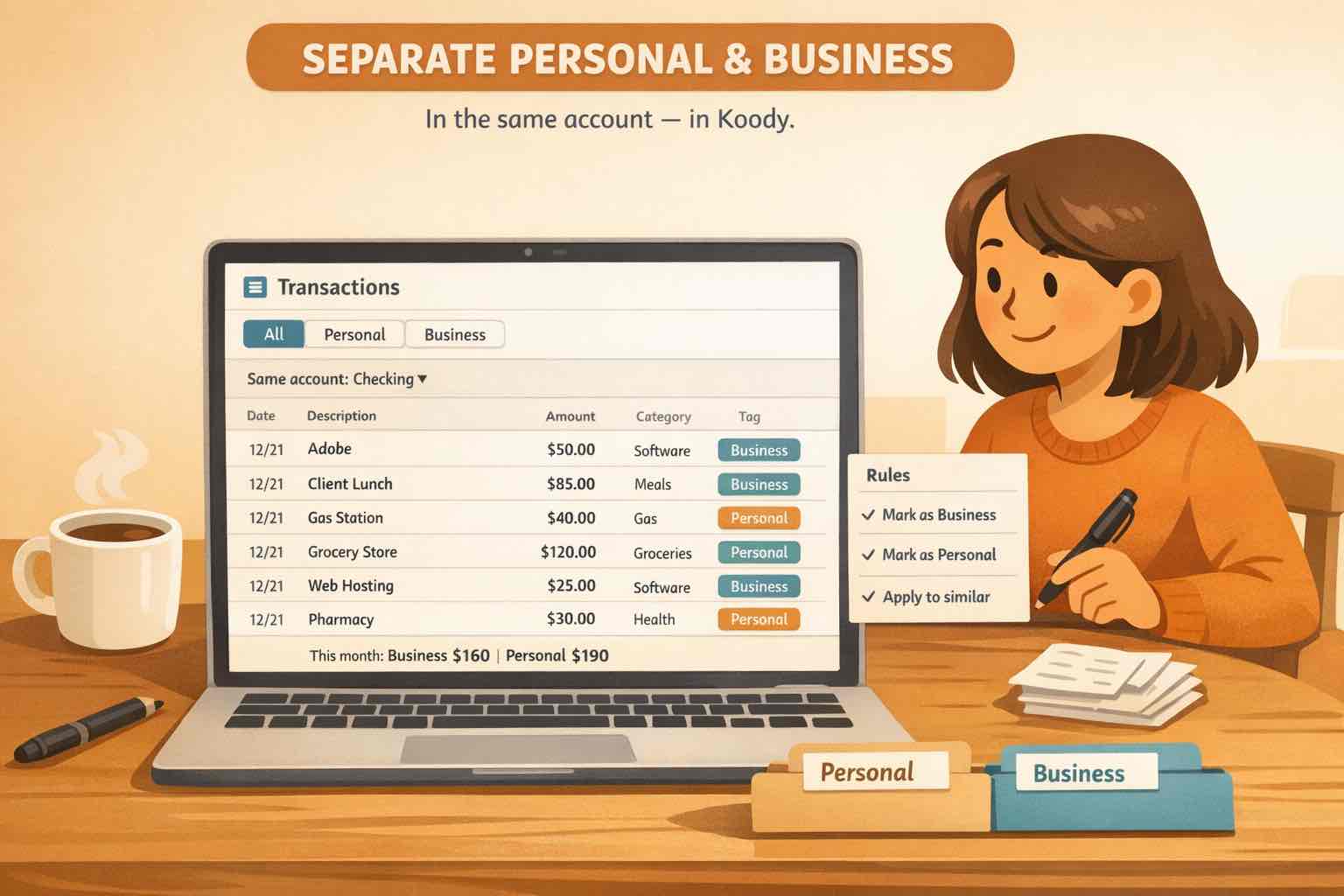
Illustration of one checking account in Koody being reviewed so mixed transactions can be separated into personal and business spending.
At A Glance
If personal and business spending are mixed in the same accounts, the cleanest fix is to stop the mixing going forward, review one account at a time, separate true business charges from personal ones, split mixed purchases, keep proof attached, and export only the cleaned records you actually need.
A lot of freelancers, side hustlers, and small business owners know they should separate personal and business expenses. The harder question is what to do when that did not happen.
Maybe software for a client project landed on your personal card. Maybe groceries and printer ink went through the same checking account. Maybe money moved between your personal bank, a business account, PayPal, and one joint credit card until the whole thing stopped being obvious.
That situation is common, especially when a business starts small and informal. It is also fixable. The goal is not to pretend the history is clean. The goal is to build a system that lets you separate what was business, what was personal, what needs proof, and what should never have been treated like an expense in the first place.
If your personal and business spending already share one or more accounts, the answer is a practical cleanup system you can actually maintain.
Important: Koody helps you organize mixed spending, receipts, and exports. It is not a bookkeeping firm, law firm, or tax preparer. Use a qualified professional to decide final tax treatment when the cleanup matters for filings.
Why Mixed Expenses Get Messy
Mixed personal and business expenses usually create the same few problems:
One bank account or credit card handles both household and business spending.
Transfers between personal and business accounts get mistaken for income or expenses.
One receipt contains both personal and business items.
Receipts live in email, downloads, or the camera roll instead of next to the transaction.
The cleanup only happens when taxes, reimbursements, or a bookkeeper force the issue.
The damage is not only tax-time stress. Mixed expenses also distort your actual business numbers. Profit looks lower or higher than it should. A normal household purchase can look like a business cost. A card payment can look like brand-new spending.
That is why the first job is clarity, not perfection. You want a recordkeeping system that clearly shows income and expenses, keeps the mixed history understandable, and makes future reviews much less dramatic.
Step 1: Stop Making The Mess Bigger
If you can separate things going forward, do it now even if the past is still messy.
Best case, open a dedicated business checking account or business card and use it from today forward. Even if it is at the same bank, one cleaner account immediately reduces future cleanup.
If you cannot do that yet, at least pick one account or card that will handle business spending from now on. The key is to stop the list of mixed transactions from growing while you clean up the old history.
If you do accidentally use the wrong account again, keep the receipt and add context right away. Future you does not need perfection. Future you needs enough evidence to remember what happened.
Step 2: Review One Account At A Time
Do not combine everything into one giant spreadsheet first. Create or confirm each real checking account, credit card, or cash account in Koody and review them separately.
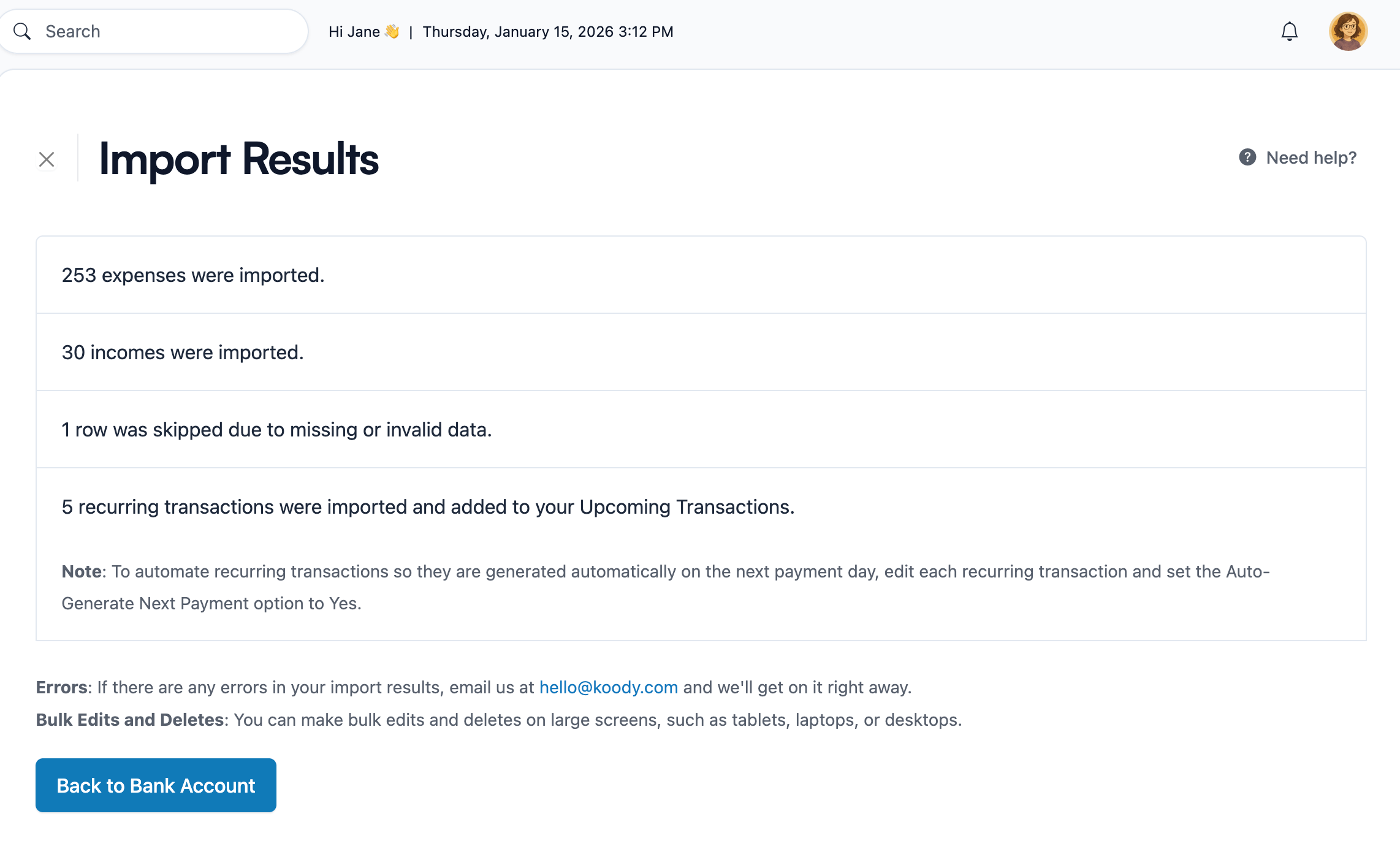
If the mixed history already exists at the bank, importing one CSV per account is usually the fastest catch-up path. Download one file per account, import it into the matching Koody account, and review the result there.
Plan note: bank-statement imports are available on Koody's Plus plan. If you only need a short cleanup window or want to stay manual-first, you can still review recent transactions one by one instead.
If you only need to clean up a recent window, manual entry can still work. The important part is that each account keeps its own history instead of turning into one blended list that hides where the transaction came from.
One-account-at-a-time imports make it easier to spot duplicates, transfers, and card payments before they distort your numbers.
Reviewing one account at a time makes three common problems easier to fix: duplicates stand out, transfers are easier to recognize, and you are less likely to treat a credit card payment like real spending.
Step 3: Separate Business From Personal
Once the transactions are in one place, start separating them by job, not by perfection.
Personal spending can stay in your normal household categories. Business spending only needs a short list you can actually maintain, such as software, travel, meals, supplies, marketing, contractors, and taxes.
What matters most is consistency. A smaller category system you keep up with is much more useful than a beautiful chart you abandon next week.
If the business purpose will not be obvious later, add a short note while the context is fresh. "Client lunch - kickoff meeting" is much more useful than hoping the merchant name explains itself six months from now.
Also review transfers, reimbursements, and credit card payments carefully. Money moving between your own accounts is not new spending just because it shows up as a transaction line.
Step 4: Split Mixed Purchases
Some charges are not purely business or purely personal. They are honestly both.
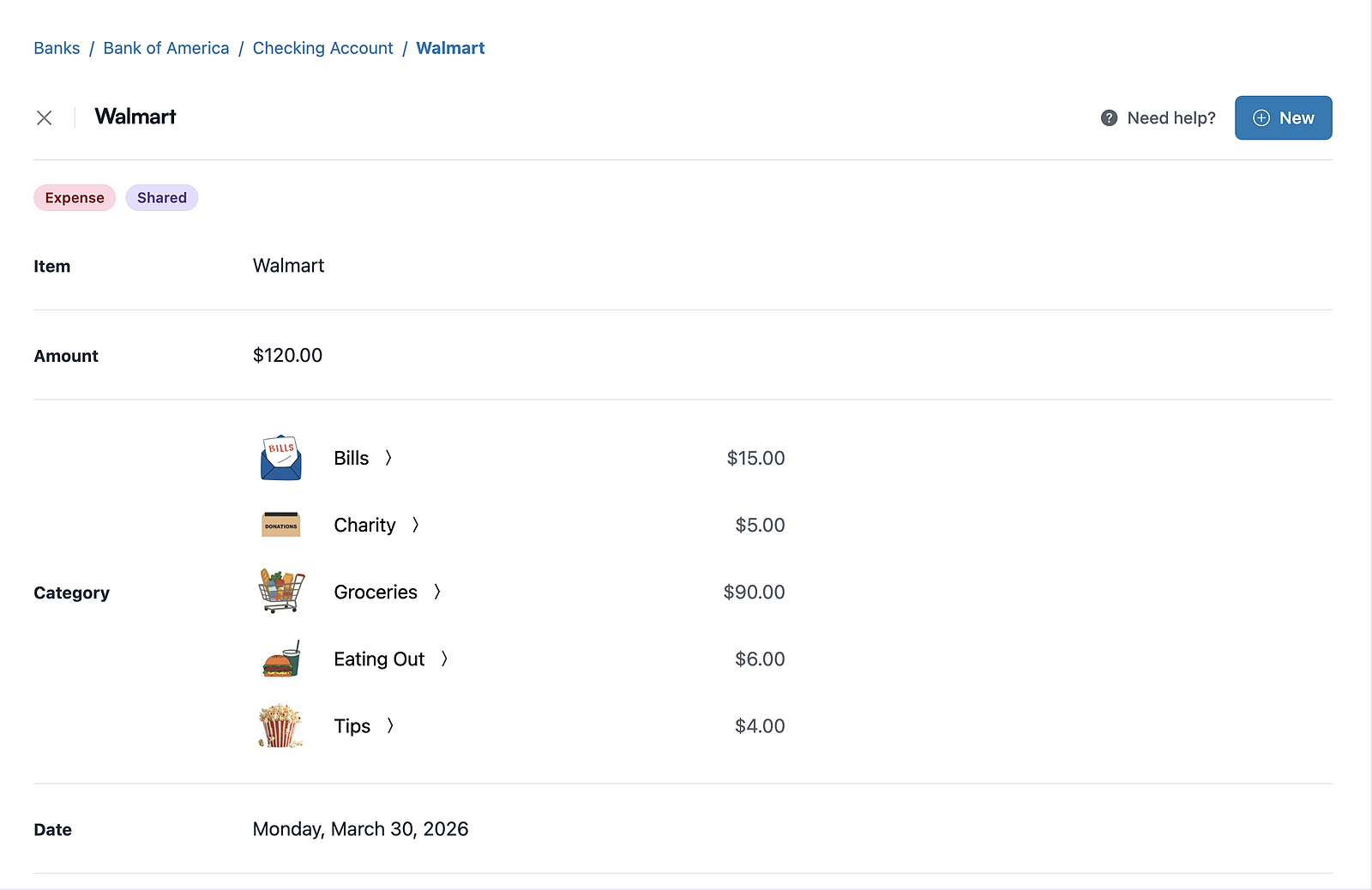
This is where people get into trouble. One Target order contains office supplies and home items. A warehouse trip includes printer paper, paper towels, snacks, and family groceries. A dinner charge includes a client meal and your own unrelated spending.
Instead of forcing the full amount into one bucket, split the transaction so the same charge can be divided across the categories that actually apply.
Split mixed purchases instead of choosing the least-wrong category for the whole charge.
Split mode is especially useful when one receipt matters for year-end review. It keeps the original transaction intact while making the category totals more honest.
If the whole transaction really belongs in one category, do not split it just because the merchant name is vague. Split only when the purchase itself is mixed.
Step 5: Keep Receipts With Context
Mixed accounts are survivable. Missing proof is where things get expensive in time.
Keep the receipt, PDF invoice, email confirmation, or screenshot attached to the matching transaction while you still remember what it was for. That matters even more when business spending happened on a personal card, because the statement alone may not explain the purpose later.
This is also the calmer way to handle reimbursements and tax-prep follow-up. The amount, category, date, and proof stay together instead of living in separate folders.
If you paid from the wrong account, the receipt still helps tell the story of whether the purchase was business-related. That is much better than trying to reconstruct it months later from bank shorthand and memory.
Step 6: Export The Clean Business View
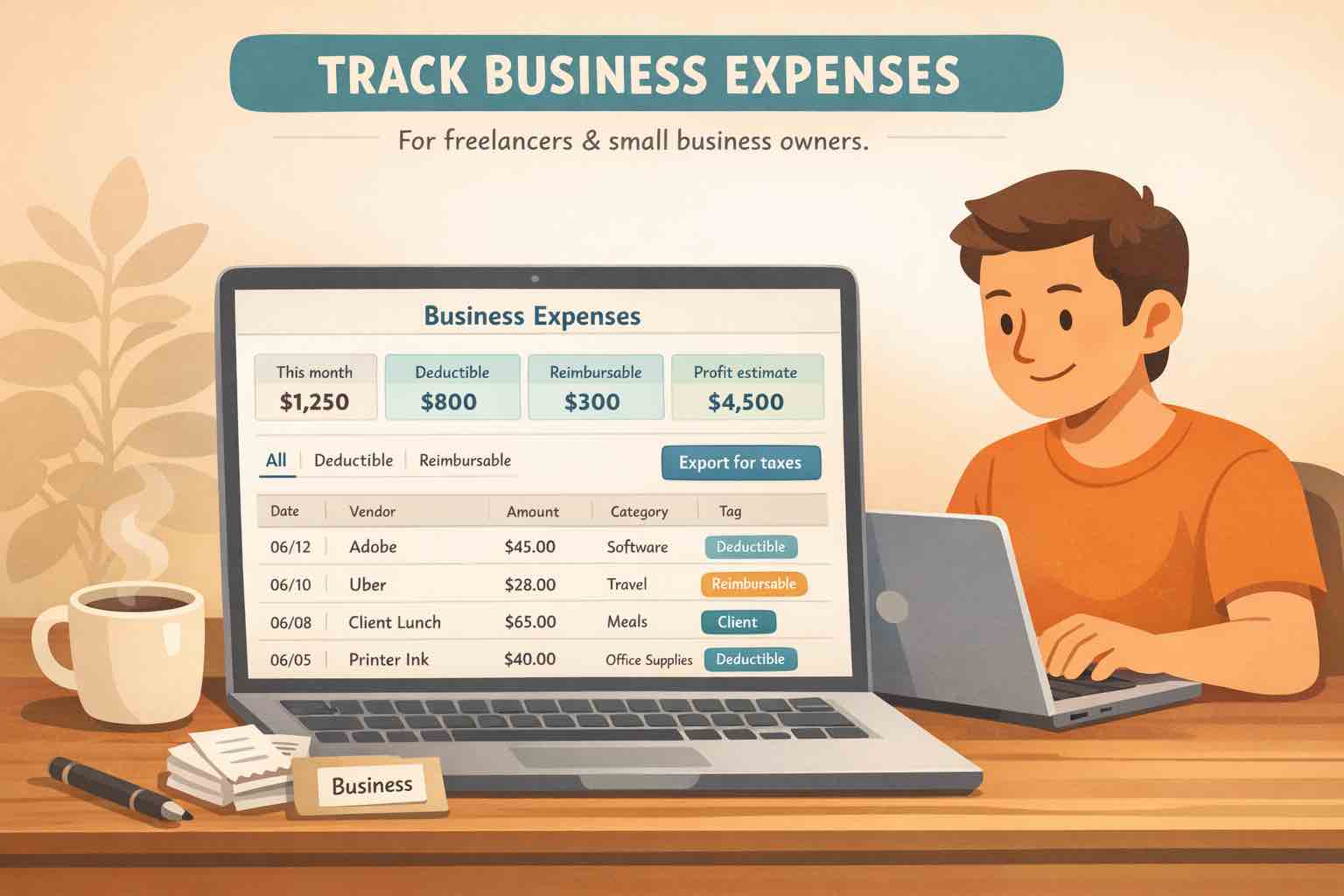
Once the transactions are separated, export only what your accountant or bookkeeper actually needs.
In Koody, you can filter by date range, account, category, and search terms, then export the cleaned records as CSV, Excel (.xlsx), or JSON.
That makes it easier to send only the business view instead of handing someone a raw statement full of rent, groceries, payroll, card payments, and transfers they have to untangle for you.
Export is not the first step. It is the last step, after the categories, splits, and receipt cleanup make the file readable.
Mistakes That Make Cleanup Harder
A few habits create most of the extra work:
Waiting until quarter-end or tax time to decide what a charge was for.
Importing multiple accounts into one sheet before you review them.
Treating transfers or credit card payments like business expenses.
Using one giant miscellaneous category for anything unclear.
Ignoring mixed receipts that should be split.
Keeping proof in email or the camera roll instead of with the transaction.
The fix is usually smaller than people think. Stop the mixing going forward, clean one account at a time, split the genuinely mixed purchases, and keep enough context that future review becomes boring instead of dramatic.
FAQs: Mixed Personal And Business Expenses
1. Do I need a separate business bank account before I can start cleaning this up?
No. You can separate the mixed history you already have first. But if you can move future business spending to its own account or card, cleanup gets much easier.
2. Can Koody help if my personal and business spending are mixed across more than one account?
Yes. Create or confirm each checking account, credit card, or cash account in Koody, then review one account at a time instead of blending everything together first.
3. What if one purchase included both personal and business items?
Use split transactions so one charge can be divided across the categories that actually apply, instead of forcing the whole amount into one bucket.
4. Do transfers between my personal and business accounts count as expenses?
Usually no. Money moving between your own accounts should be reviewed as a transfer or funding movement, not treated like new spending just because it appears on a statement line.
5. Can I catch up old mixed history without typing every transaction by hand?
Yes. If the history already exists in bank or card statements, import one CSV per account into Koody and review the results there instead of rebuilding every transaction manually. Bank-statement imports are available on Koody's Plus plan.
6. Can I export only the cleaned business transactions after the review?
Yes. On our Standard and Plus plans, you can filter the Transactions screen by date range, account, category, or search and export only the cleaned records you want to share.
7. Is Koody a bookkeeping or tax filing app?
No. Koody helps you organize transactions, categories, receipts, and exports. A qualified accountant, bookkeeper, or tax preparer should decide final reporting and filing treatment.
If personal and business spending are living in the same account, the answer is not always a bigger accounting system on day one.
Often the better first move is a cleaner transaction history: one account at a time, honest categories, split mixed purchases, receipts attached, and a file you can export when someone actually needs it.
If that is the problem you are trying to solve, start separating the mess inKoody and make the next review much easier than the last one.