A family budget app for real household spending.
Plan bills, groceries, school costs, subscriptions, and savings goals in one clear budget. Koody helps you build a practical family budget, keep recurring costs visible, and stay on top of monthly spending without turning budgeting into a second job.

How it works
A family budget gets easier to run when bills, groceries, subscriptions, school costs, and savings goals live in one place. Koody helps you turn all of that into one plan you can actually keep up with.
Start with the categories your family actually uses, keep the regular costs in view, and adjust the plan as the month moves.
Build The Family Budget
Create one budget for the costs your family actually manages: bills, groceries, transport, school costs, childcare, subscriptions, and savings goals.
Keep The Regular Costs In View
Add recurring bills, subscriptions, and paychecks so the month reflects real family life instead of a plan that forgets what is coming next.
Adjust It As The Month Moves
Check categories each week, move money when priorities change, and keep the budget useful through busy family weeks.
Why family budget planning works better with one clear system.
The goal is not more budgeting theory. It is a plan you can use for real family life every week.
See Real Family Costs Clearly
When groceries, school costs, subscriptions, transport, and savings goals live in one plan, it is much easier to see what family life really costs.
Better Weekly Check-Ins
A short weekly review is easier to keep up with than waiting until the end of the month to discover where the budget went off track.
Flexible Enough For Real Families
Some families want a simple monthly plan. Others want tighter category limits. Koody can support both without forcing one style.
Helps You Plan Ahead
A family budget works best when school costs, annual renewals, trips, repairs, and seasonal spending stop arriving as surprises.
FAMILY BUDGET VIEW
See the whole family plan at a glance.
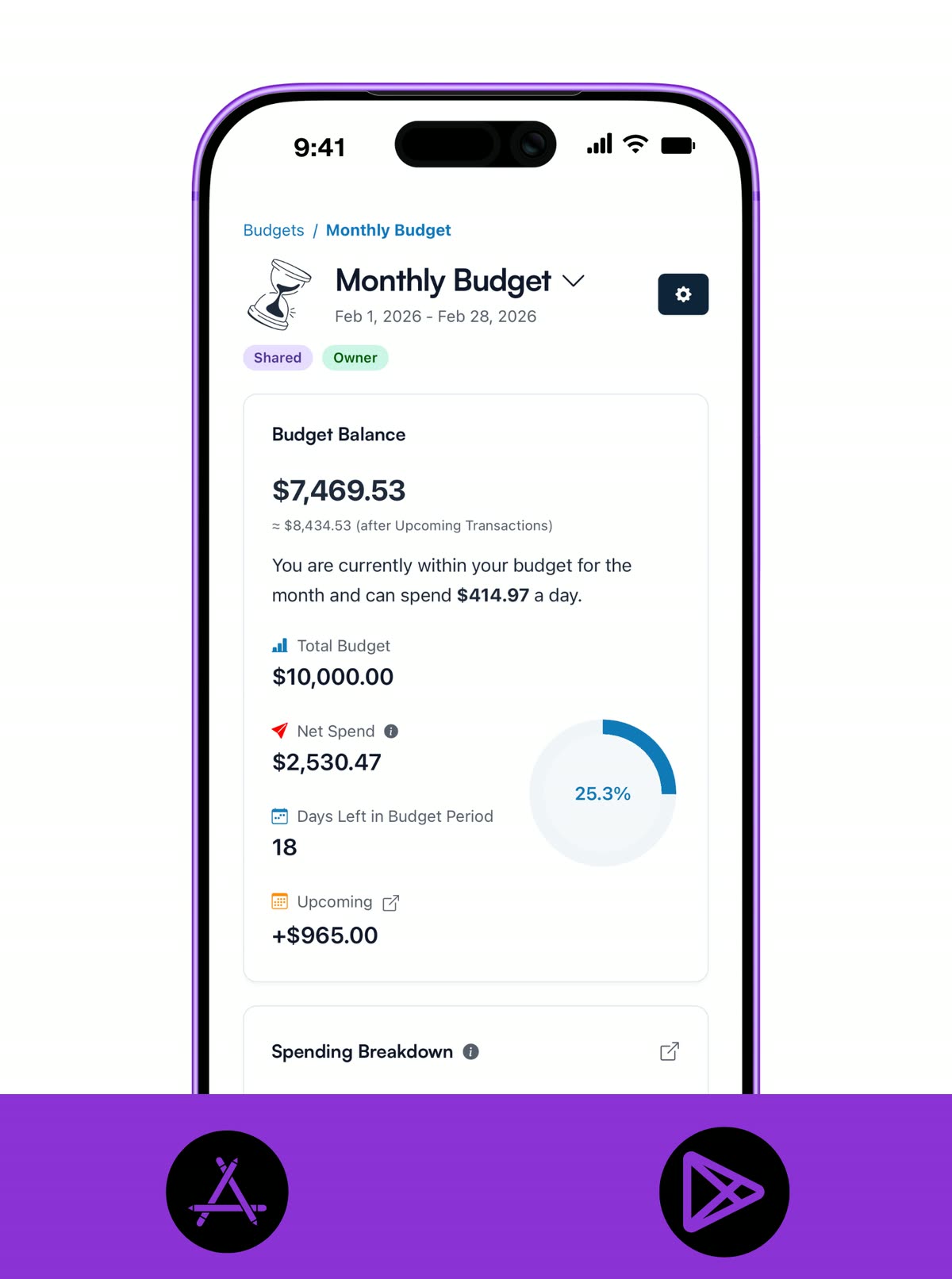
A family budget only works when the full picture is easy to see. Koody gives you one dashboard for the spending and goals you are trying to manage this month, so decisions start from facts instead of guesswork.
- See total budget, spending, balance, and days left in one monthly family budget view.
- Keep groceries, utilities, subscriptions, transport, school costs, and savings goals visible in the same dashboard.
- Check what is left before the next shop, school payment, or weekend plan.
CATEGORIES
Create categories around real family life.
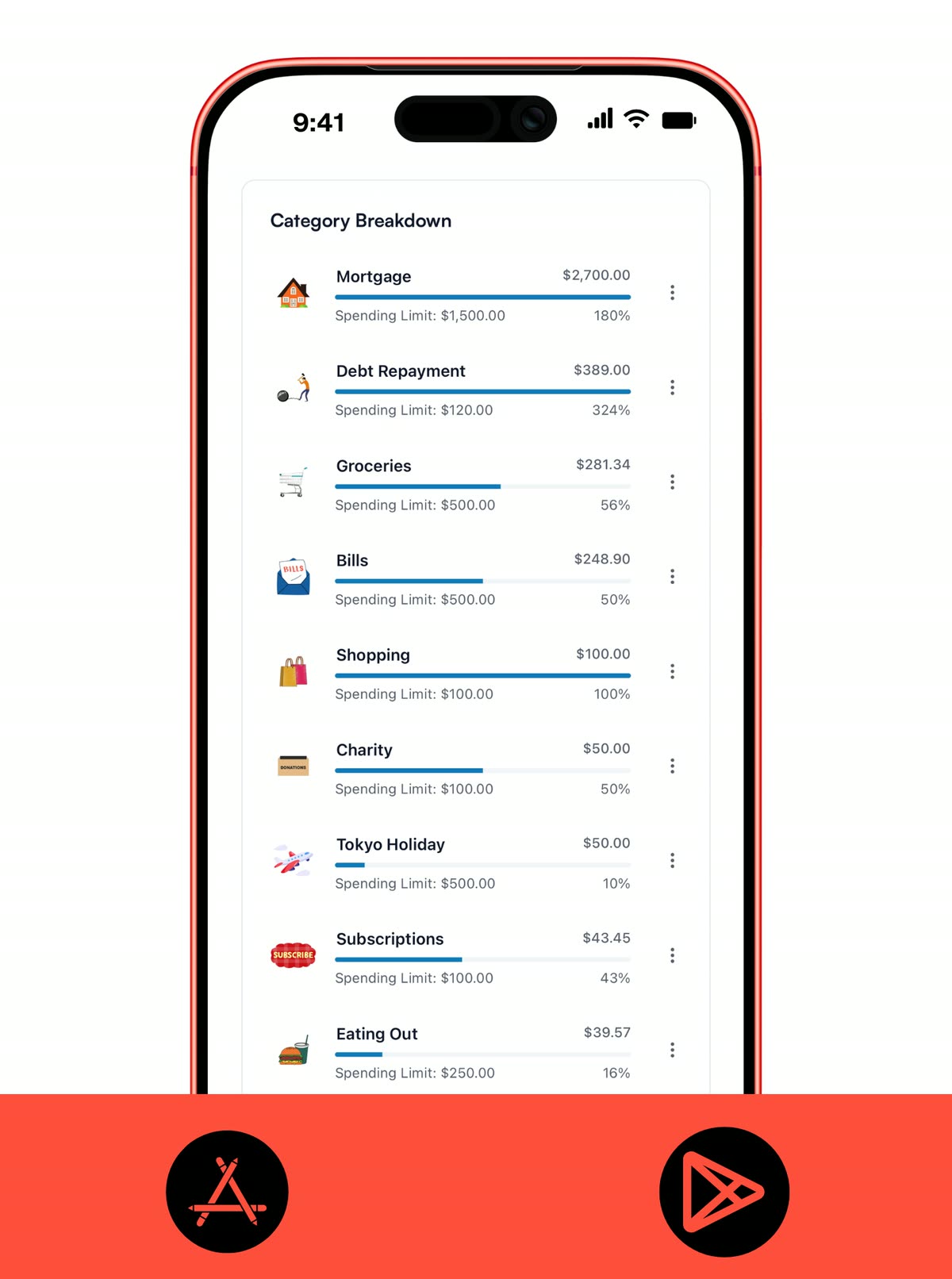
Family budget planning works better when the categories reflect what your home actually spends on. Koody lets you build a practical setup for groceries, school costs, kids' activities, home supplies, transport, and more.
- Create categories that match how your household actually spends, from groceries and school lunches to birthdays, clubs, and home supplies.
- Keep categories practical enough for fast check-ins, then add detail later only when it genuinely helps.
- Review spending by category so it is obvious where the family budget is tightening up.
RECURRING ITEMS
Keep regular family costs visible.
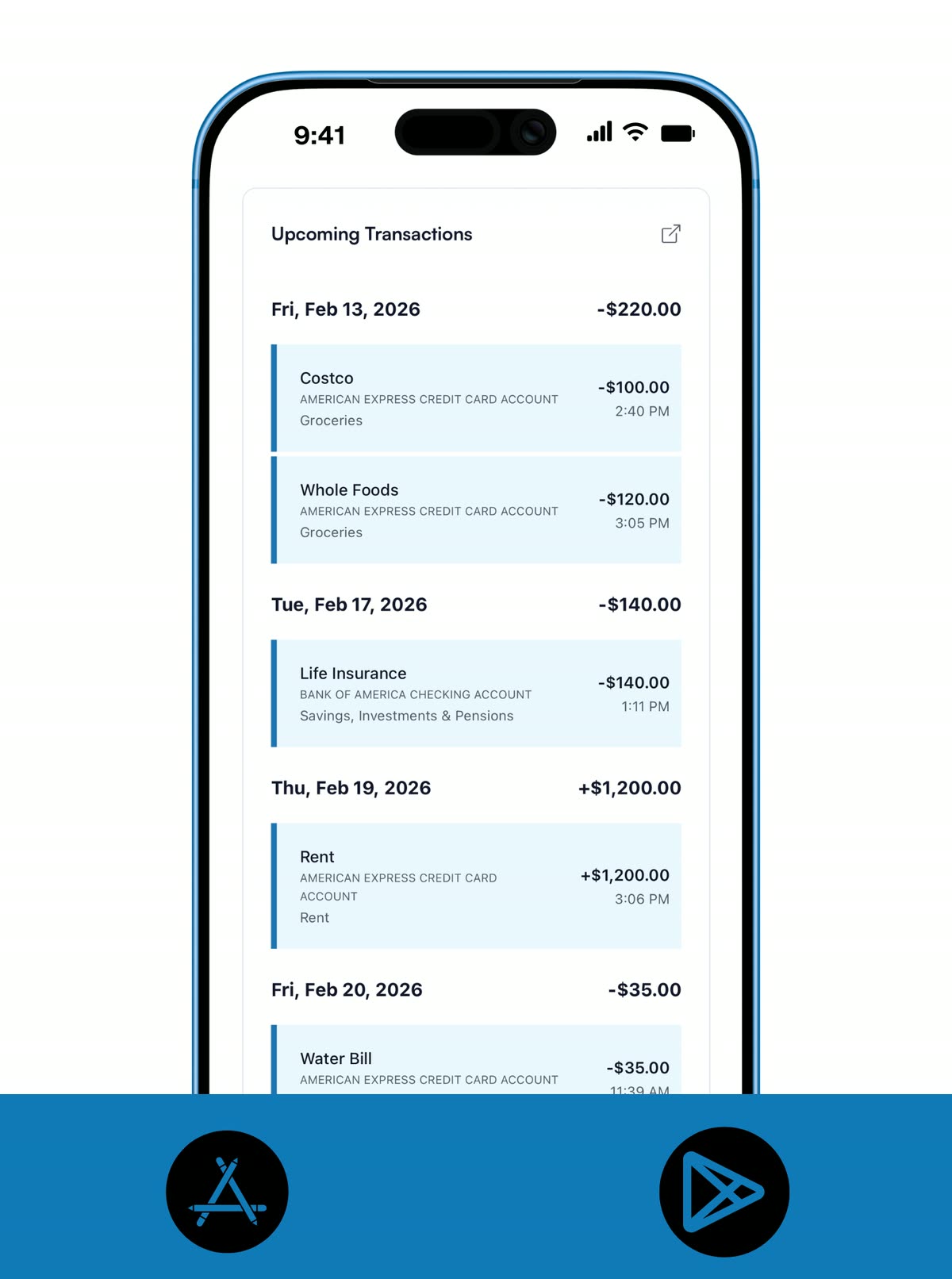
Family budgets slip when the recurring costs are out of sight. Koody keeps recurring bills, subscriptions, fees, and paychecks in view so the month reflects what is actually coming.
- Keep rent or mortgage, utilities, subscriptions, school fees, insurance, and paychecks visible ahead of time.
- Use recurring items so the regular parts of family life stay in the plan without being rebuilt every month.
- See what is coming up next before the family budget gets squeezed by dates you forgot were close.
IMPORTS
Bring older family spending into the plan fast.
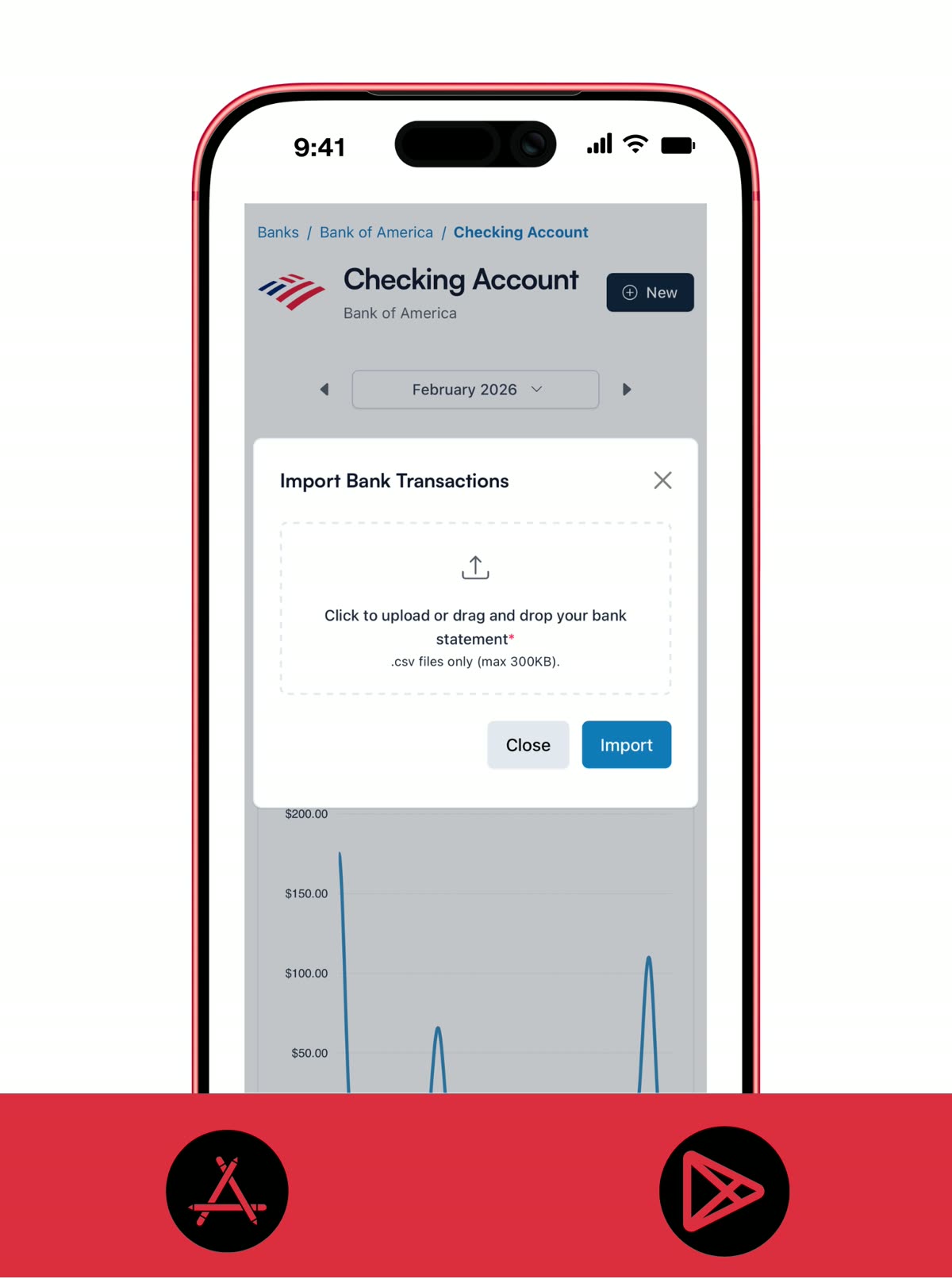
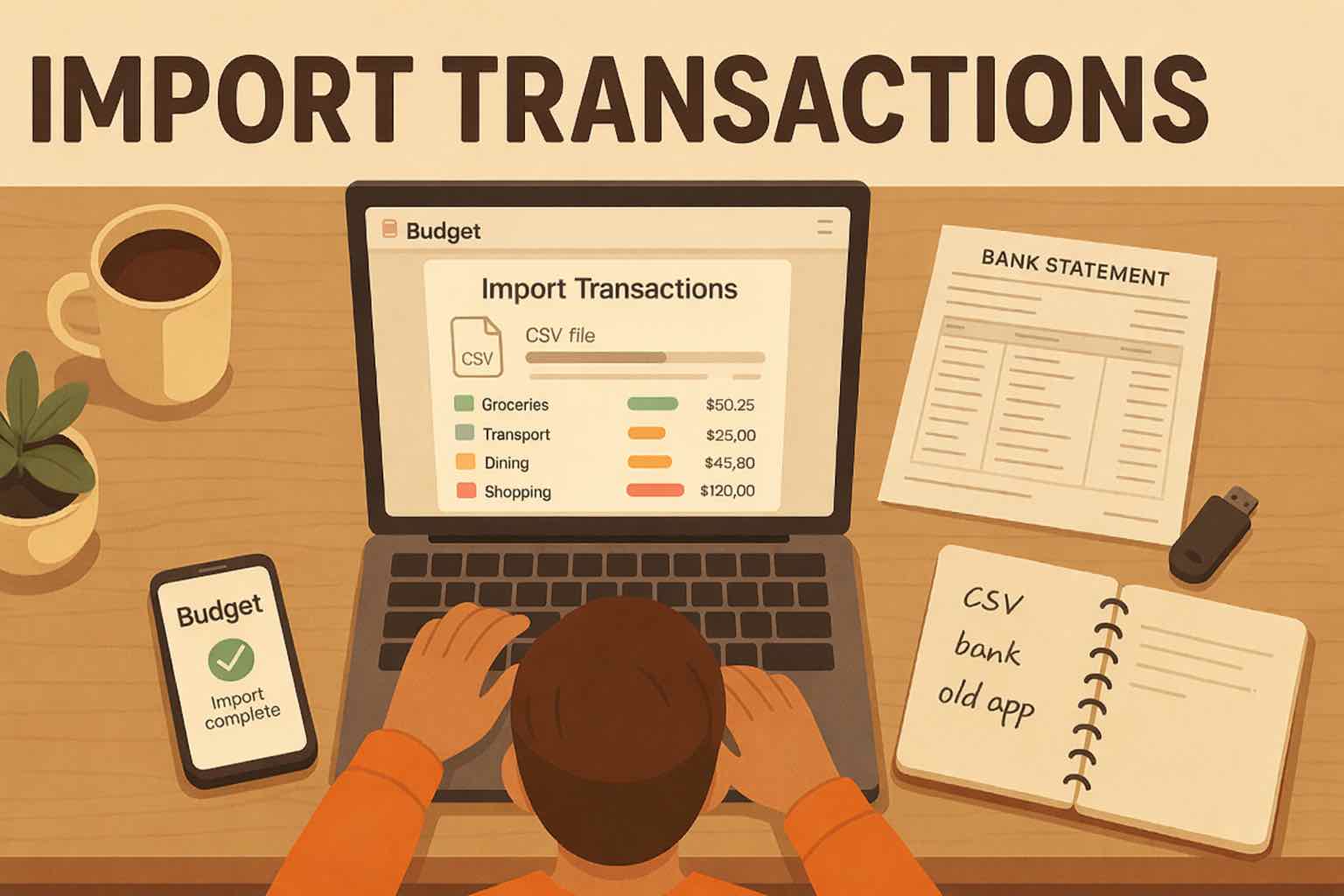
Imports are useful when you want family budget history in one place without typing every older transaction by hand. Koody helps you pull in past spending quickly, clean it up, and turn it into something you can actually work with.
- Import older family spending from bank statements, spreadsheets, or another budgeting app when you want history in one place.
- Let Koody clean transaction descriptions, categorize the rows, and flag likely recurring costs before you review them.
- Use imports to catch up quickly, then keep the budget current with the approach that suits you best.
WEEKLY REVIEW
Keep the plan useful through real weeks.
A family budget works best when it stays active. One short weekly check-in is usually enough to catch overspending, move money, and keep the month realistic.
- Use one short weekly review to spot overspending and adjust the plan before the month runs away from you.
- Move money between categories when family priorities change, instead of abandoning the budget for the rest of the month.
- Keep the system practical enough to survive busy weeks, school runs, and everything else real life throws at it.
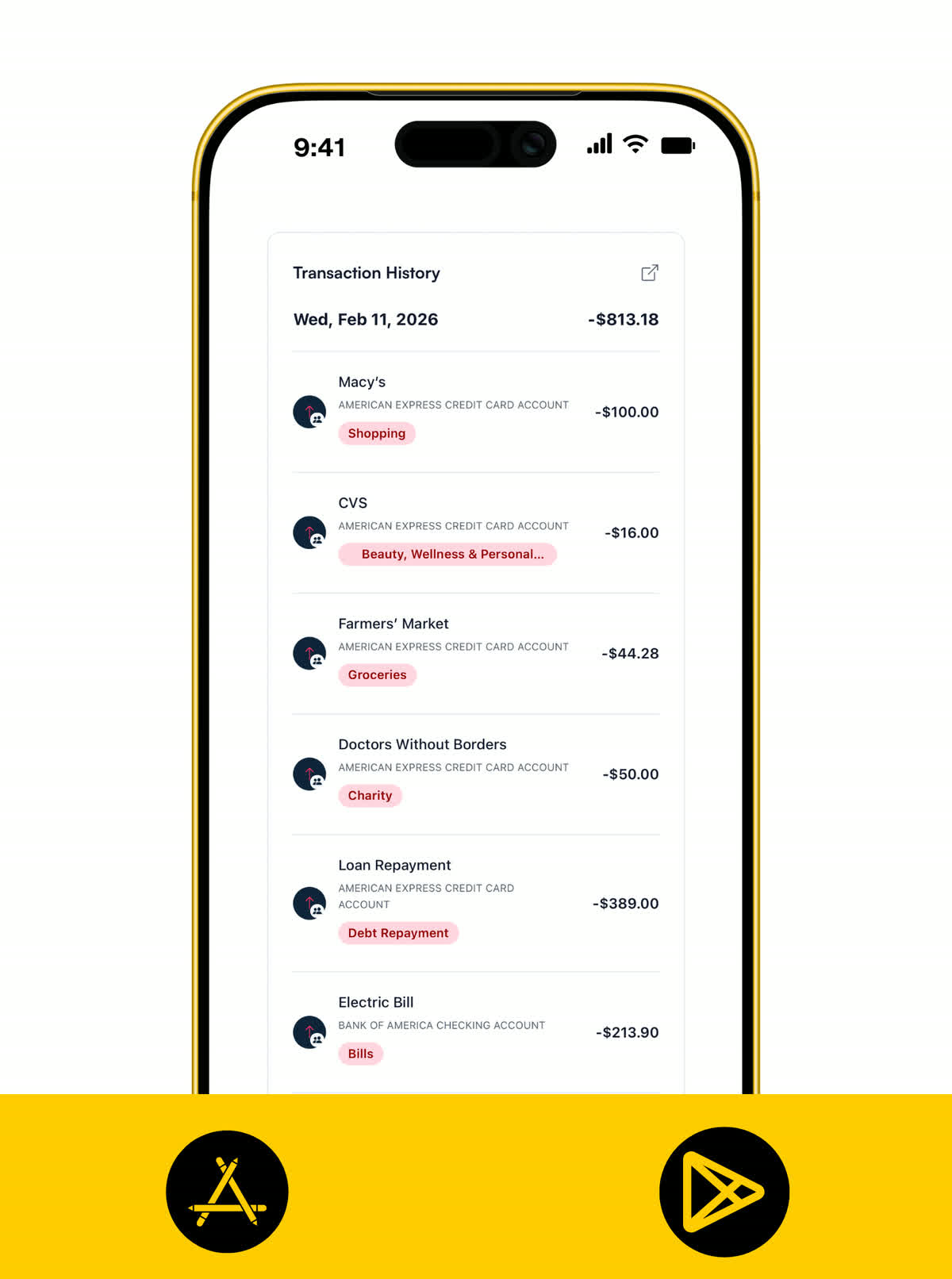
RECEIPTS
Keep the proof behind family spending.
Receipts make it easier to explain, return, reimburse, or revisit the purchases that matter. That is especially useful for school costs, family shopping, medical spending, and higher-ticket family expenses.
- Attach receipts to school costs, household shopping, medical expenses, and anything else you may need to look back on.
- Keep proof of spending with the transaction so returns, reimbursements, and tax-time questions are easier to handle.
- Store important household context in one place instead of leaving it in camera rolls and inboxes.
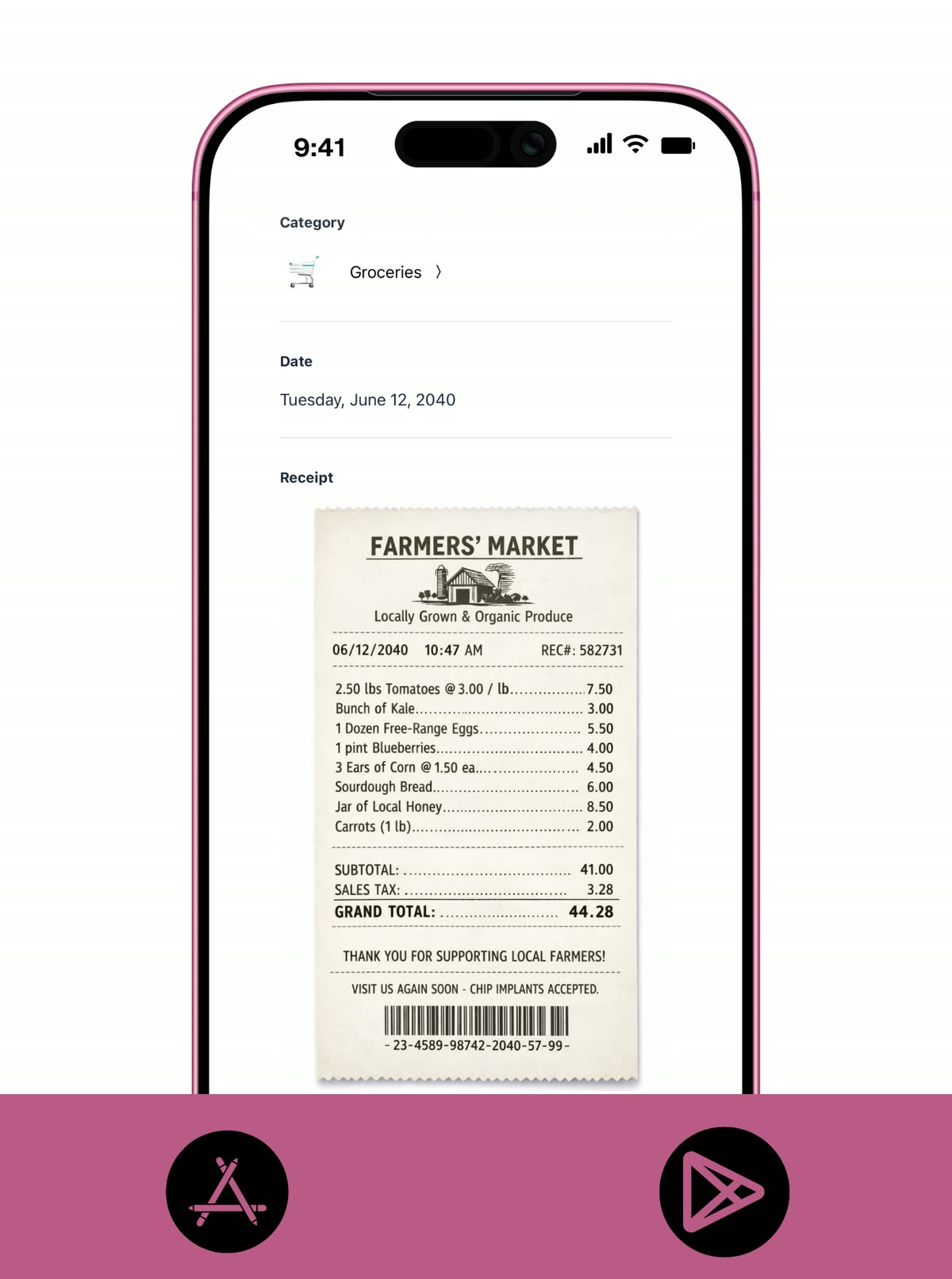
KOODY AI
Ask better questions about the family budget.
Koody AI helps turn the family budget into a better decision tool. Ask about pacing, trade-offs, or whether a larger expense still fits before you commit the money.
- Ask Koody AI questions about family spending pace, category pressure, or whether a larger expense still fits the month.
- Sense-check trade-offs like travel, back-to-school costs, repairs, or holiday spending against the budget you already set.
- Use quick answers to support family budget planning without digging through reports before every decision.
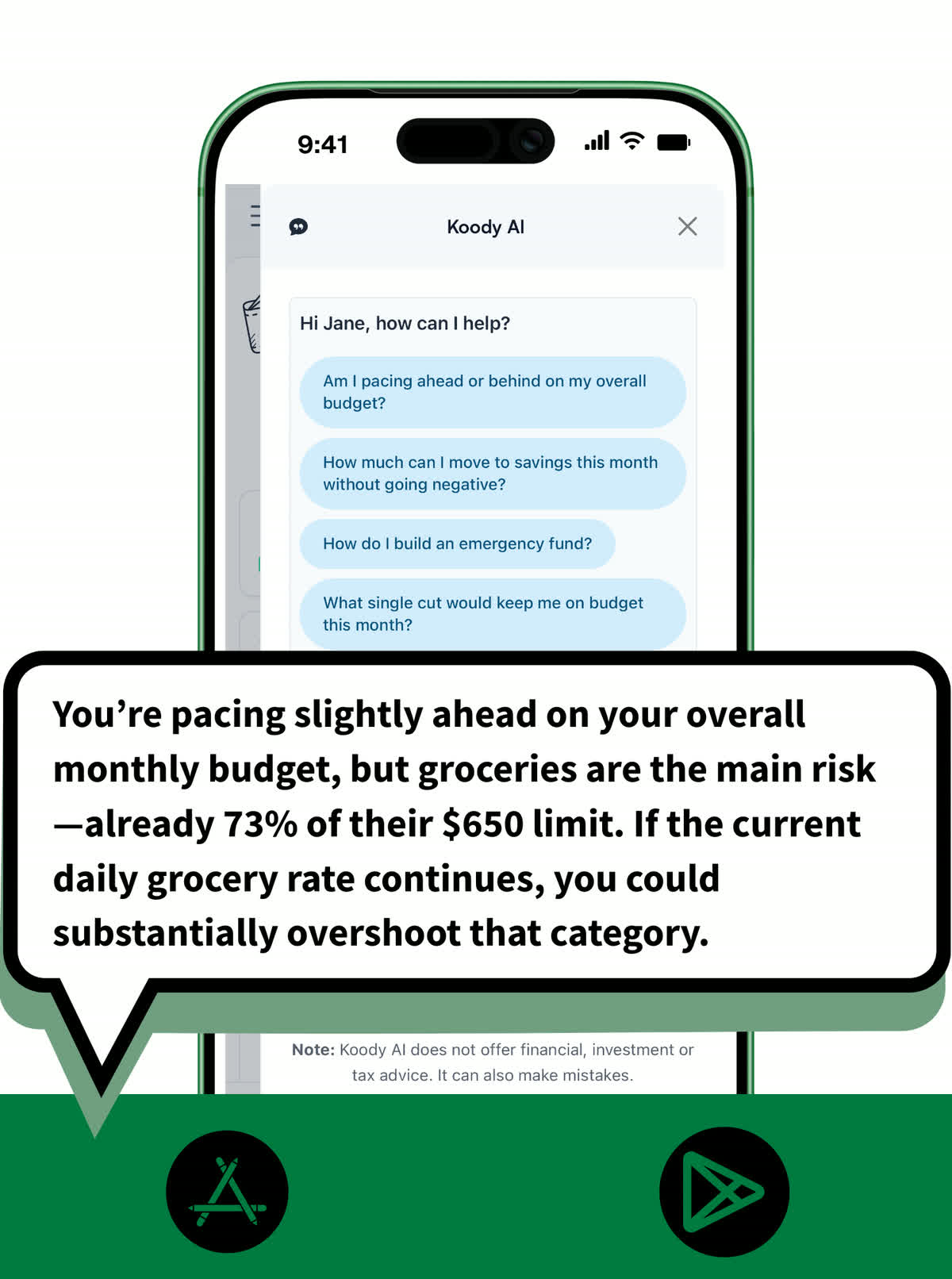
Pricing
Our pricing is flexible and straightforward: no hidden fees, no surprises. Start with a free month of our Standard plan to see if it's right for you. If it's not, cancel anytime. No questions asked.
Free
Track money by hand, calculate your tax set-aside, and talk to Koody AI.
- Input transactions manually
- Add bank accounts
- Track spending and income (up to 1 year)
- Categorize transactions
- Monitor subscriptions or bills
- Koody AI
- Upload receipts
- Calculate your tax set-aside
- Access on mobile and desktop
Standard
Budgets that match your paydays, longer history, and exports.
- Everything in Free
- Track spending and income (up to 3 years)
- Add new categories
- Auto-generate recurring transactions
- Export transactions (CSV, Excel, JSON)
- Create and manage budgets
- Sync budgets with your payday
- Create recurring budgets
Plus
Statement imports, auto-categorization, and unlimited history.
Available to eligible customers in the US, UK, Canada, and Australia.Terms apply.
- Everything in Standard
- Import transactions from bank and credit card statements (CSV or PDF)
- Track spending and income (unlimited years)
- Automatic transaction categorization
- Unlimited categories
- Automatic detection of recurring transactions
- Advanced Koody AI
- Keep budgets active indefinitely
Build a family budget that lasts.
Start with the real costs, keep the month visible, and adjust the plan as family life happens.


Helpful articles from the Koody blog

Frequently asked questions
What is a family budget app?
A family budget app helps you plan and track the costs that matter to family life, like bills, groceries, school costs, subscriptions, transport, and savings goals.
Is Koody good for family budget planning?
Yes. Koody works well for family budget planning because it keeps your categories, spending, recurring costs, and budget balance in one clear view.
Do I need to use every category limit to make Koody work for a family budget?
No. You can keep the setup light with practical categories, or add tighter category limits if you want more structure.
Can Koody also work as a household budget app?
Yes. If you think of your family plan as a household budget, Koody fits that too. It works well for the money your home needs to plan and track regularly.
Does Koody work if one person manages most of the budget?
Yes. Koody works whether one person manages the day-to-day budget or the whole family reviews it together from time to time.
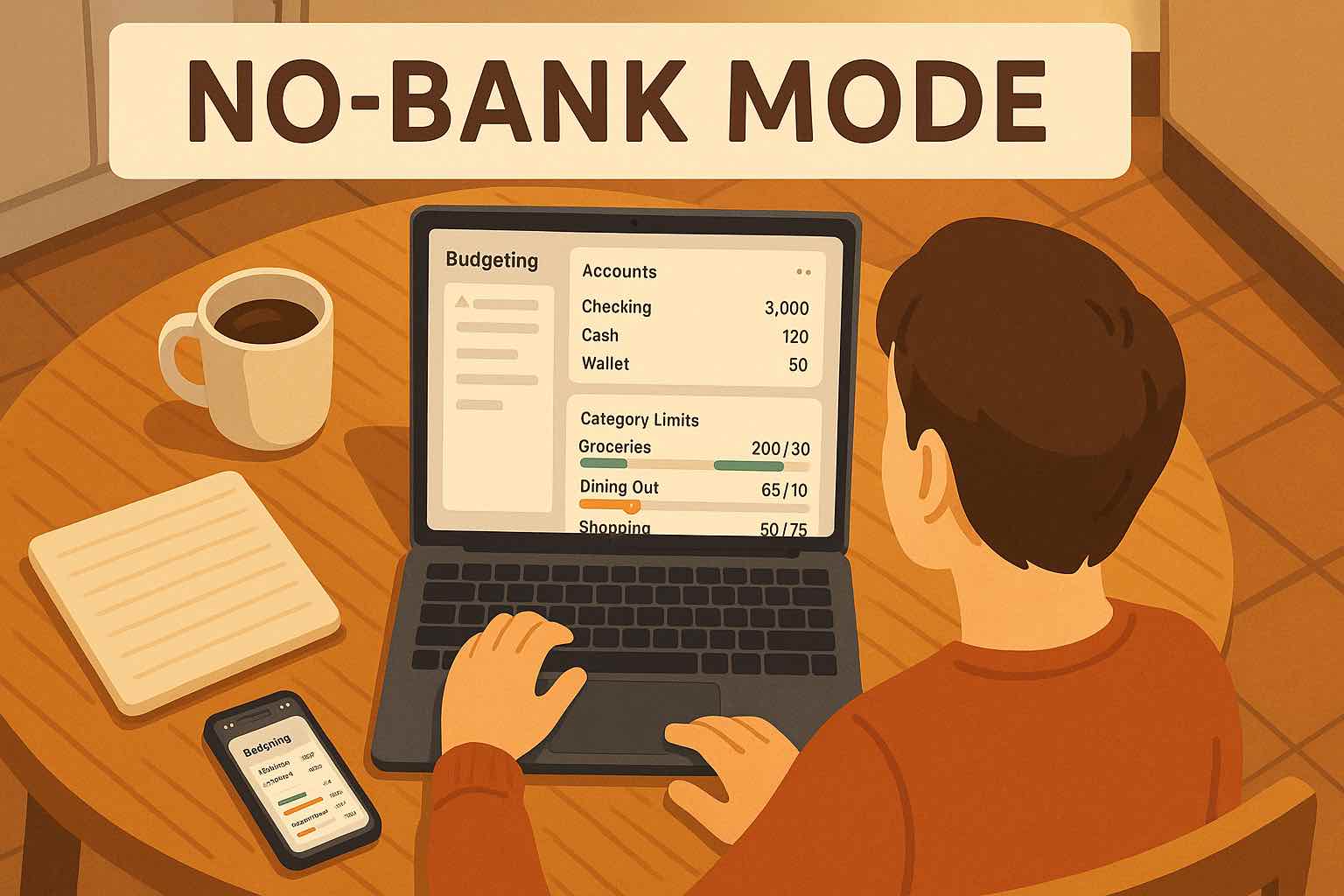
Do I need bank linking to use Koody for family budgeting?
No. You can plan the family budget with manual accounts, manual transactions, recurring items, and optional CSV imports without linking your bank.
Can Koody track groceries, utilities, school costs, and subscriptions in one place?
Yes. Those are exactly the kinds of recurring household costs Koody is built to keep visible in one budget view.
Does Koody AI help with family budget planning?
Yes. Koody AI can answer questions about category pressure, spending pace, trade-offs, and whether a purchase still fits your family budget.
Can we import older household transactions later?
Yes. Koody supports CSV imports when you want to bring in older household spending from statements or another app.