Sole proprietors do not always work alone. A lawyer may pay a contract paralegal. A cleaner may pay a helper. A creator may pay a video editor. A barber may pay a booth assistant. A consultant may hire a designer, bookkeeper, or web developer.
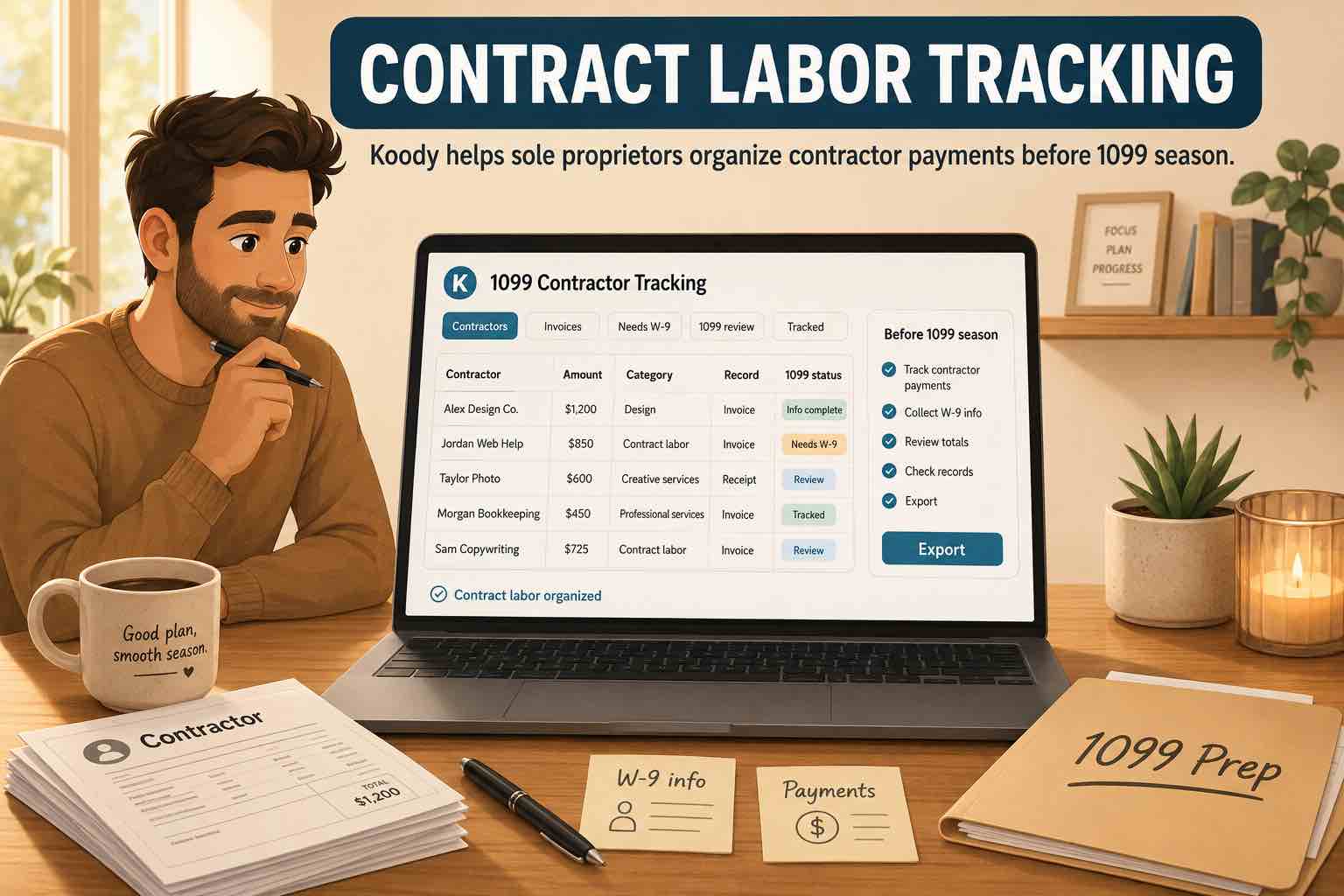
Those payments need better records than a bank transaction that says Zelle, Venmo, PayPal, Cash App, check, ACH, or "John." The business needs to know who was paid, what service they provided, how much they were paid, and whether the payment may need 1099 review.
Important: Koody is a budgeting and record-prep app, not a tax filing service, tax advisor, accountant, tax preparer, payroll service, 1099 filing service, worker-classification service, or law firm. Use Koody to organize transactions, categories, receipts, files, notes, splits, imports, and exports. A qualified tax professional should decide worker classification, 1099 filing, and final tax treatment.
What contract labor means for sole proprietors
What is contract labor on Schedule C?
Contract labor is payment to a nonemployee who helps your business by providing a service.
Common examples include:
- A freelance designer making a logo or flyer.
- A contract paralegal helping a solo lawyer.
- A photographer shooting product photos.
- A cleaner helper supporting a cleaning job.
- A web developer building a site.
- A bookkeeper organizing records.
- A subcontractor helping on a job.
- A booth assistant helping at an event.
Contract labor should be separated from ordinary supplies, software, meals, travel, owner draws, and transfers. The more specific the category, the easier review gets before 1099 season.
Contractor vs employee
Is a contractor the same as an employee?
A contractor is generally a nonemployee who provides services to your business. An employee is handled under payroll rules.
The difference depends on facts, not just what the payment label says. Control, direction, relationship, and how the work is performed can all be part of the review.
Do not use Koody notes to force an answer. Use them to keep the facts together: who did the work, what they did, how they were paid, and what records you have.
W-9 records
What is a W-9, and who gives it to you?
Form W-9 is the form a contractor gives you so you have the tax details needed for your records. If you hire a freelance designer, contract paralegal, cleaner helper, photographer, assistant, or web developer, they fill out the W-9 and send it to you.
The W-9 gives you the contractor's legal name, business name if they use one, tax classification, address, and taxpayer identification number. You use those details later if the contractor payment needs 1099 review.
Ask for the W-9 before the first payment when you can. If you already started working together, ask for it as soon as possible. Waiting until January makes 1099 season harder than it needs to be.
In Koody, attach the W-9 PDF or screenshot to one of the contractor payment rows or keep a note that says where the W-9 is stored.
1099-NEC basics
What is a 1099-NEC?
Form 1099-NEC is the form businesses use to report certain payments made to nonemployees. NEC means nonemployee compensation. In plain English, it is the contractor-payment form.
If a sole proprietor pays a contractor for business services, that payment may need 1099-NEC review. A therapist paying a website designer, a lawyer paying a contract paralegal, or a cleaner paying a helper should keep records that show who was paid, how much, and what service was provided.
In general, businesses use Form 1099-NEC to report $600 or more in nonemployee compensation paid in the course of a trade or business. Payment method, payee type, business relationship, and whether the payment was for services can affect the answer, so not every payment to every person gets reported the same way.
You may also hear about Form 1099-K. That is a different form connected to payment cards, payment apps, and third-party payment networks. For example, if you pay through a card processor or payment platform, the platform may have its own reporting rules. Keep the contractor records organized and ask a qualified tax professional when you are unsure.
Keep contractor invoices and notes with the transaction.
Koody lets you attach invoices, W-9s, PDFs, screenshots, and notes to contractor payment rows, so the service, contractor name, and payment record stay together.
Track contractor payments in KoodyWhat belongs in contract labor?
Contract labor is useful for people paid to perform services for your business. Other business costs may need separate categories.
| Payment | Practical category to review |
|---|---|
| Freelance assistant, subcontractor, contract paralegal, helper | Contract Labor |
| Lawyer, accountant, tax preparer | Legal & Professional Services |
| Platform referral fee, payment processing fee | Commissions & Fees or Marketplace Fees |
| Repair company fixing equipment | Repairs & Maintenance |
| Office supplies or materials | Supplies or Office Expense |
The labels do not decide the tax result. They make the review easier by keeping unlike payments apart.
What records to keep for contractor payments
What should I track for contract labor?
Keep enough detail for someone to understand the payment without guessing.
- Contractor name: person or business paid.
- W-9: saved PDF, image, or note showing where it is stored.
- Date: when the payment was made.
- Amount: how much was paid.
- Service: what the contractor did.
- Invoice or receipt: what the contractor sent you.
- Proof of payment: bank row, card row, check record, app record, or transfer record.
- Business purpose: why the service was for the business.
- Category: Contract Labor or another more specific category.
- 1099 status: note whether the payment may need 1099 review.
If you pay a contractor through several methods, keep the records consistent. One person may have ACH payments, checks, and payment-app records across the year.
How Koody helps before 1099 season
Koody helps keep contractor records near the transactions you are reviewing.
- Import bank and card transactions.
- Let Koody auto-categorize rows, then review contractor payments carefully.
- Categorize payments as Contract Labor, Legal & Professional Services, Commissions & Fees, Repairs & Maintenance, Supplies, or another useful category.
- Attach invoices, W-9 PDFs, screenshots, receipts, and payment records.
- Add notes for contractor name, service provided, business purpose, and 1099 review.
- Split a transaction by category when one payment or receipt covers more than one kind of cost.
- Export contractor payment rows when your accountant, tax preparer, or bookkeeper needs them.
This is useful when you manage personal money and sole proprietor records in one app. Transfers, owner draws, contractor payments, and personal payments can look similar on a bank statement. Use categories and notes in Koody to keep them from blending together.
Import, review, attach files, and export before 1099 season.
Bring transactions into Koody, review contractor rows, attach invoices and W-9s, add service notes, and export cleaner records before 1099 season.
Get contractor records ready in KoodyWhat to check before 1099 season
Before January, review payments that may need contractor attention.
- Contractor totals: how much each contractor was paid during the year.
- W-9 records: missing W-9s, old addresses, or unclear names.
- Payment method: check, ACH, card, cash, app, or third-party network.
- Service notes: what the contractor did for the business.
- Professional fees: legal, accounting, and tax-prep costs that should not be mixed with contract labor.
- Reimbursements: money paid back to a contractor for expenses.
- Owner draws and transfers: money moved to yourself or between accounts.
- Personal payments: payments that do not belong in business records.
- Missing invoices: email receipts, screenshots, payment confirmations, or notes that help rebuild the record.
If a payment is unclear, attach what you have and add a note now. Contractor records get harder to rebuild after the year closes.
For a broader tax-time checklist, read small business recordkeeping for taxes. For 1099-K platform payouts, read 1099-K and marketplace income.
FAQs
1. What is contract labor on Schedule C?
Contract labor is money a sole proprietor pays nonemployees for services connected to the business. Examples include a subcontractor, freelance designer, assistant, photographer, paralegal, cleaner helper, web developer, or bookkeeper.
2. Is a contractor the same as an employee?
No. A contractor is generally a nonemployee who provides services to your business. Employee vs contractor classification depends on facts and IRS rules, so organize the records and get professional advice if the line is unclear.
3. When do I need a W-9?
A W-9 is the form a contractor fills out and gives you with their tax details. Ask for it before the first payment when you can, or as soon as possible after you start working together.
4. When do I need a 1099-NEC?
Form 1099-NEC is the contractor-payment form for certain nonemployee compensation. In general, businesses use it to report $600 or more paid for services in the course of business. Payment method and payee details can affect the answer, so ask a qualified tax professional if you are unsure.
5. What records should I keep for contractor payments?
Keep the contractor name, W-9, invoice, payment date, amount, service description, proof of payment, business purpose, category, 1099 status, and notes.
6. Are legal and accounting fees contract labor?
Legal, accounting, and tax-prep fees are usually tracked separately from contract labor. Use Legal & Professional Services or another specific category so professional fees do not get mixed into contractor labor.
7. How does Koody help with contract labor records?
Koody helps you categorize payments as Contract Labor, attach invoices, W-9 PDFs, screenshots, and receipts, add contractor notes, split mixed transactions, and export contractor payment rows for review.
Sources: IRS references used
Sources accessed June 19, 2026. Koody is not a tax filing service or tax advisor.