A reimbursement starts with money leaving your account and ends with money coming back. The hard part is remembering what the expense was for, who owed you, and whether the repayment ever arrived.
The receipt may be in your camera roll. The expense may be on a credit card. The note may be in a text thread. The repayment may arrive weeks later with a vague description. By the time you review your budget, the money out and the money back in look unrelated.
This guide is for work reimbursements, client reimbursements, insurance claims, shared expenses, household paybacks, side-hustle costs, and any purchase where someone else should repay all or part of the cost.
What to keep for a reimbursable expense
A useful reimbursement record should answer a few plain questions:
- What did you buy?
- When did you buy it?
- How much did it cost?
- Which account or card paid for it?
- Who should pay you back?
- Why should they pay you back?
- Was the whole amount reimbursable, or only part of it?
- Has the repayment arrived yet?
The record does not need to be fancy. It just needs enough detail that you can understand it later.
Good notes are short and specific: "Client reimbursable hotel for Atlanta meeting," "Insurance claim for prescription receipt," "Dinner paid for group, Maya owes half," or "Employer reimbursement for conference parking."
Start with the original expense
The original expense is the row where money left your account. That is where the receipt belongs.
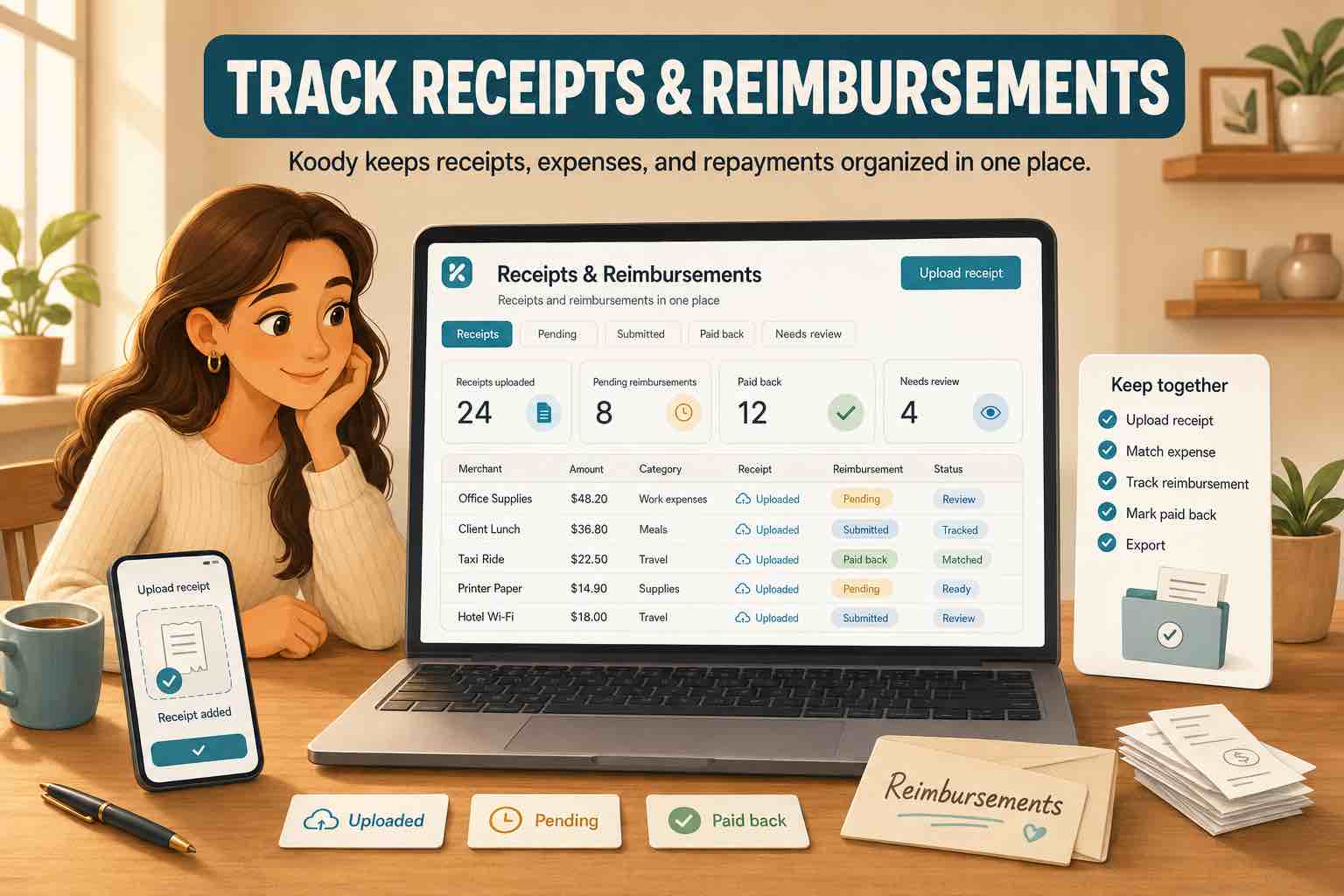
In Koody, open the transaction, attach the receipt, and add a note while the details are still fresh. If the transaction came from an import, let Koody auto-categorize it first, then review the category and note.
For example:
- Work reimbursement: "Conference Uber. Employer reimbursement pending."
- Client reimbursement: "Court filing fee paid for client. Rebill to client."
- Shared expense: "Hotel paid for group trip. Jordan owes $180."
- Insurance claim: "Prescription receipt for claim submission."
- Side hustle: "Supplies bought for customer order; customer reimbursed shipping."
This keeps the proof with the row that created the cost. If someone asks for the receipt later, you know where it is.
Keep the receipt with the original charge.
In Koody, attach the receipt or screenshot to the expense, add the person or client in the note, and keep the category easy to review.
Track receipts in KoodyReview the repayment deposit later
The repayment is the money coming back in. It may show up as payroll reimbursement, a client payment, Venmo, Zelle, insurance payment, PayPal, Cash App, check deposit, or a transfer from a friend.
When that deposit arrives, add a note that connects it to the original expense. For example:
- "Reimbursement for Atlanta hotel receipt."
- "Client paid back filing fee from June 12."
- "Insurance repayment for prescription claim."
- "Roommate paid back half of utilities."
In Koody, you can also tag the repayment as a refund when the money coming back is meant to offset an earlier expense. That makes it easier to filter for refunds later instead of searching through every deposit.
Use the same description and category as the original expense when that makes sense. If the original row was "Atlanta hotel" in Travel, the repayment can use "Atlanta hotel" in Travel too, with the refund tag turned on. Months later, the two rows are much easier to compare.
This is useful when the amounts do not match exactly. A $420 hotel charge and a $400 repayment tell a different story from a full refund. Keeping the description, category, refund tag, and note together makes the difference easier to spot.
This helps you avoid treating the repayment like random income or letting the original expense look like ordinary spending forever.
Common reimbursement examples
Work reimbursements
You might pay for parking, rideshare, meals, supplies, conference fees, or travel before your employer pays you back. Keep the receipt on the original expense and add enough detail to match the repayment later.
Client reimbursements
Freelancers, consultants, lawyers, creators, and other sole proprietors may pay costs for a client first, then get repaid. A note with the client name and expense reason makes the row easier to review.
Insurance claims
Medical, dental, vision, travel, and property claims often need receipts. In Koody, you can keep the receipt, claim note, original charge, and reimbursement deposit together, so it is easier to see what you paid and what came back.
Shared expenses
Family, roommates, partners, and friends often split groceries, trips, bills, utilities, and gifts. Add a note with who owes what so the repayment does not become a guessing game later.
Mixed receipts, partial paybacks, and missing receipts
Real receipts are not always clean. One purchase may include personal items and reimbursable items. One trip may include business, personal, and shared costs. One repayment may cover several expenses at once.
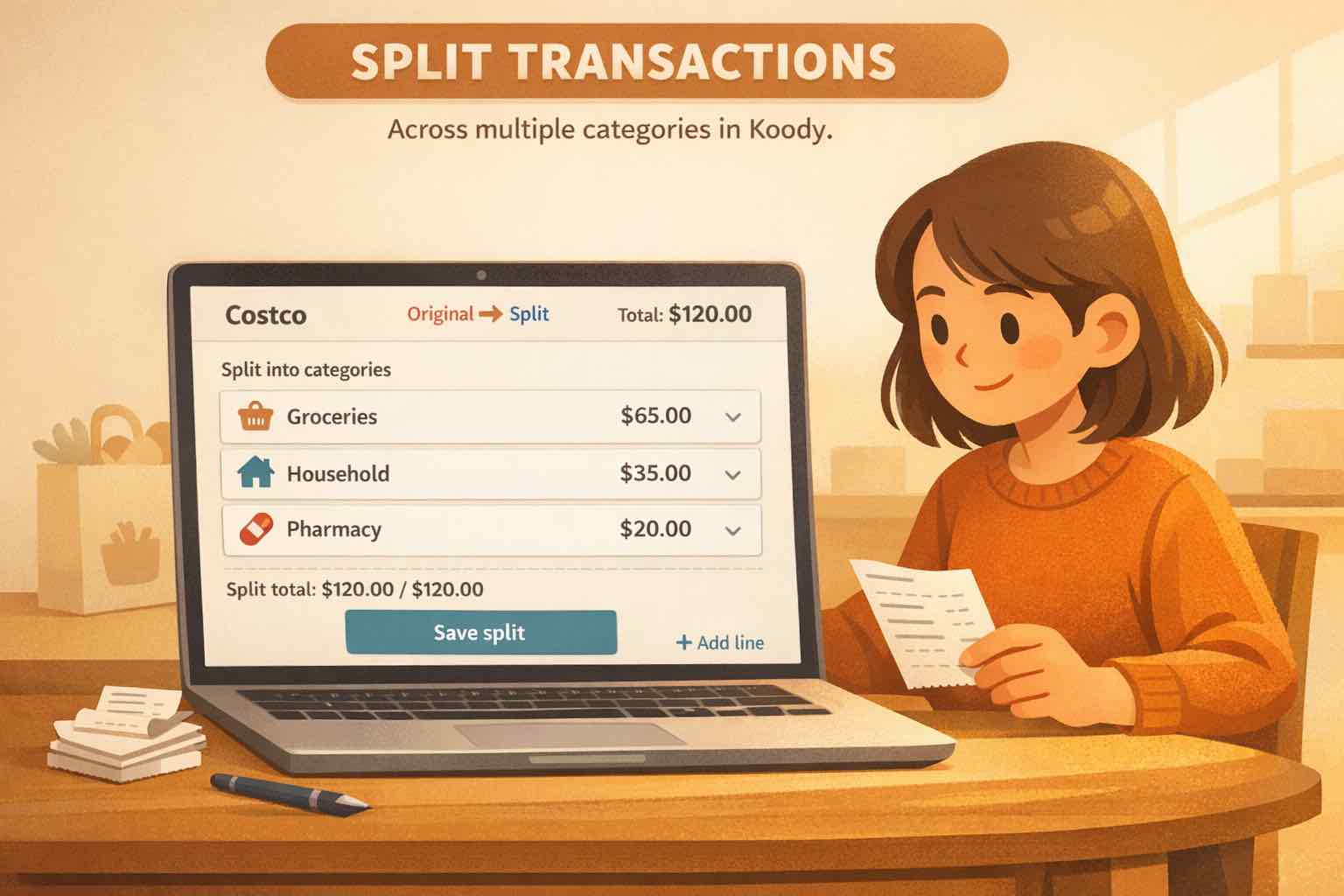
Koody lets you split a mixed transaction by category, so the reimbursable part does not have to pretend to be the whole purchase. Add a note if one receipt covers several people or several purposes.
If the receipt is missing, do not leave the row blank. Attach what you have: an order confirmation, email, screenshot, invoice, calendar note, claim page, or written note. If someone else controls the approval, they may still ask for more proof, but your record will be easier to review.
How Koody helps
Koody is useful when reimbursements touch more than one part of your money: the original charge, the receipt, the person who owes you, the repayment deposit, and the category totals.
- Import bank and card transactions when you want to catch up.
- Let Koody auto-categorize imported rows.
- Attach receipts, PDFs, screenshots, invoices, and files to the matching transaction.
- Add notes with the person, client, claim, or reason for the reimbursement.
- Split mixed purchases when only part of the receipt should be reimbursed.
- Review repayment deposits when they arrive.
- Export records if you need to send a file to someone else.
Koody helps you keep the record together, then export or share the details when an employer, client, insurer, or tax professional asks for them.
Import, attach receipts, and review repayments.
Bring transactions into Koody, let Koody auto-categorize the rows, attach receipts, add reimbursement notes, and review repayment deposits when they arrive.
Open KoodyFAQs
1. How do I track receipts and reimbursements in one place?
Track the original expense, attach the receipt, add a note with who should pay you back and why, then review the repayment deposit when it arrives. In Koody, the transaction, receipt, category, and note can stay together.
2. What should I keep for a reimbursable expense?
Keep the date, merchant, amount, category, receipt, who owes you, why they owe you, how they plan to pay you back, and whether the repayment has arrived.
3. How do I match a reimbursement to the original expense?
Keep the receipt and note on the original expense, then add a note to the repayment deposit that names the expense it relates to. That makes the money-in and money-out rows easier to review together.
4. Can I track work reimbursements in Koody?
Yes. You can attach the work receipt to the expense, add a note with the employer or claim details, and keep the repayment deposit visible when it arrives.
5. Can I track client reimbursements in Koody?
Yes. Add the client name and reason in the transaction note, attach the receipt or invoice, and review the client repayment when it lands.
6. Can I track insurance claim receipts in Koody?
Yes. Koody can help you keep the receipt, claim note, original charge, and reimbursement deposit together, so it is easier to see what you paid and what came back.