Most people do not wake up excited to make a budget. They start because something keeps happening: the paycheck lands, bills get paid, life happens, and the account balance drops faster than expected.
A budget gives you a way to look ahead. It helps you decide what the money needs to do before the week, month, or pay period pulls it in ten directions.
This guide explains the practical reasons to budget, whether you are an employee, driver, barber, hairdresser, freelancer, student, parent, immigrant, side hustler, or sole proprietor.
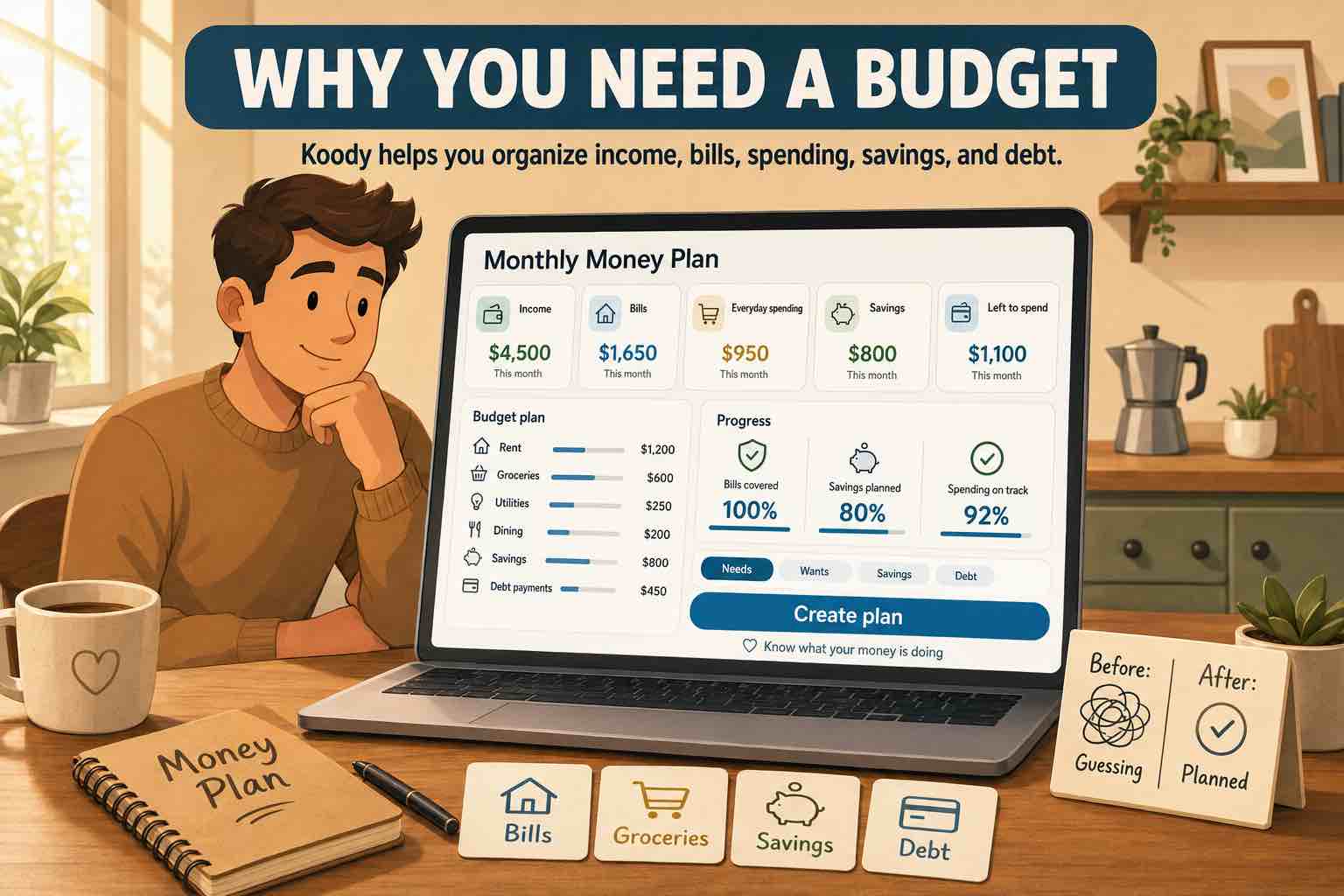
Why you need a budget
A budget helps you stop treating your account balance like the full truth.
If your checking account says $1,200, that does not mean you have $1,200 to spend. Rent may be due. A card payment may be coming. Groceries may still need to happen. Your phone bill may hit tomorrow. The budget shows the commitments hiding behind the balance.
A budget helps you:
- Pay bills without guessing.
- Put everyday spending into categories you can review.
- Save before the money gets absorbed by the month.
- Make debt payments visible.
- Plan for emergencies and irregular costs.
- Separate personal money from side-hustle or sole proprietor records.
- See when a month is unrealistic before it becomes a problem.
A budget helps you pay bills on time
Bills are easier to handle when they are visible before they arrive.
A budget can show:
- Rent or mortgage.
- Utilities.
- Phone and internet.
- Insurance.
- Subscriptions.
- Loan payments.
- Credit card minimums.
- School fees, childcare, or family support.
Once the fixed bills are listed, the remaining money becomes more honest. You can see what is actually available for groceries, transport, personal spending, savings, and debt.
A budget helps you see everyday spending
Most spending problems are not one dramatic purchase. They are normal purchases repeated often.
Coffee, rideshares, takeout, groceries, hair products, gas, snacks, apps, kids' items, parking, and small online orders can quietly change the month.
A budget turns those small purchases into categories. Instead of asking, "Where did it all go?" you can see:
- Groceries are running high.
- Eating out is taking more than expected.
- Transport needs a bigger limit.
- Subscriptions should be reviewed.
- Personal spending needs a smaller or larger amount next month.
Once you see the pattern, you can decide what to adjust before the month gets away from you.
See where the month is going in Koody.
Set category limits, record spending, import transactions when you need a catch-up, and review bills before the month is over.
Start budgetingA budget helps with savings and debt
Saving money is hard when savings only gets whatever is left. Debt is harder when payments are handled only when pressure builds.
A budget lets you put both into the plan.
- Emergency fund.
- Car repairs.
- Travel.
- School costs.
- Tax set-aside for self-employed income.
- Credit card payments.
- Personal loans.
- Buy-now-pay-later balances.
Even a small planned amount helps because it becomes part of the month, not an afterthought.
A budget helps you prepare for surprises
A budget cannot stop a tire from going flat, a client from paying late, or a bill from being higher than usual. It can help you build room for those things.
Start with a small buffer if you cannot save much yet. Then build toward a larger emergency fund over time.
For people with irregular income, this is especially useful. A slow week, late invoice, or lower shift schedule should not make the whole month impossible to understand.
How Koody helps you keep the budget usable
Koody helps you keep the plan and the real transactions together.
- Add accounts for checking, savings, credit cards, cash, and side-hustle money.
- Set category limits for bills, groceries, transport, debt, savings, and personal spending.
- Add quick transactions when money moves.
- Import bank and card transactions when you want speed.
- Attach receipts and notes when a transaction needs context.
- Review recurring bills and subscriptions.
- Keep personal and business money in one app.
- Export records when you need a file.
Koody gives you room to start small. You can track manually, import statements later, or use both depending on the month.
How to start small
You do not need to fix your whole financial life this week. Start with the pieces that affect the next pay period or month.
- List expected income.
- Add the bills that must be paid.
- Choose limits for groceries, transport, eating out, and personal spending.
- Add one savings or debt goal.
- Leave a small buffer.
- Review once a week.
A budget gets better because you use it. The first version shows you what you missed. The next version gets closer to real life.
Build a budget you can come back to.
Start with the bills and categories you understand today, then let Koody help you adjust as real spending comes in.
Get startedFAQs
1. Why do I need a budget?
You need a budget because bills, spending, savings, debt, and emergencies all compete for the same money. A budget helps you decide what gets paid first and what can wait.
2. Do I need a budget if I am not broke?
Yes. A budget is useful even when you earn enough. It helps you see waste, plan for bigger goals, prepare for bills, and avoid spending money you wanted to save.
3. Can a budget help with debt?
Yes. A budget helps you choose a payment amount, keep minimum payments visible, avoid new surprise balances, and track progress over time.
4. Can I budget with irregular income?
Yes. Use the income you can count on for the most important bills first, then update the budget when extra pay, tips, client payments, or side income arrives.
5. How often should I check my budget?
Most people can start with one short weekly review. Check what came in, what went out, which bills are coming, and which categories need an adjustment.
6. How does Koody help me stick to a budget?
Koody helps you set category limits, track income and expenses, review recurring bills, attach receipts, import transactions when needed, and adjust your budget from one place.