If you have ever gone looking for a free budgeting app, you know the routine already: the listing promises "free," you sign up, and then you hit a wall as soon as you try to do anything meaningful.
Most people who search for a free budgeting app are not asking for something magical. They just want a clear view of where their money goes each month, without being tricked into a subscription or forced through a dozen upsell screens.
At a minimum, a good free tool should let you see your accounts in one place, log income and spending, and organize those transactions into sensible categories so you can notice patterns. That is the baseline Koody's free plan is built around.
If what you need is a free personal expense tracker app and a basic income and expense tracker in one place, this should be enough to get real momentum without paying on day one. If that is the exact job to solve, see Koody's manual expense tracker app page for the shorter product-focused version.
You should be able to install the app, set it up once, and actually use it to manage your money - not just preview a locked dashboard.
Why So Many "Free" Apps Feel Disappointing
Most budgeting apps still have to pay their own bills, and that often shows up as cramped free tiers, aggressive upsells, or feeds full of offers for credit cards and loans. Technically, the download is free; practically, you are pushed to upgrade almost immediately.
That is how you end up with tools that limit how many transactions you can add, hide your own history behind a paywall, or bury the budgeting features under a layer of ads. It does not take long before "free" starts to feel like a bait-and-switch.
It is no surprise that people end up searching for things like "Is there a truly free budget app?" or "Are free budgeting apps even worth it?" They are not demanding perfection; they are just tired of feeling tricked.
Koody does have paid plans, and we will be honest about where they start. But the free tier is designed to stand on its own, so you can get serious value out of it even if you are not in a position to pay right now.
What You Get In Koody's Free Plan
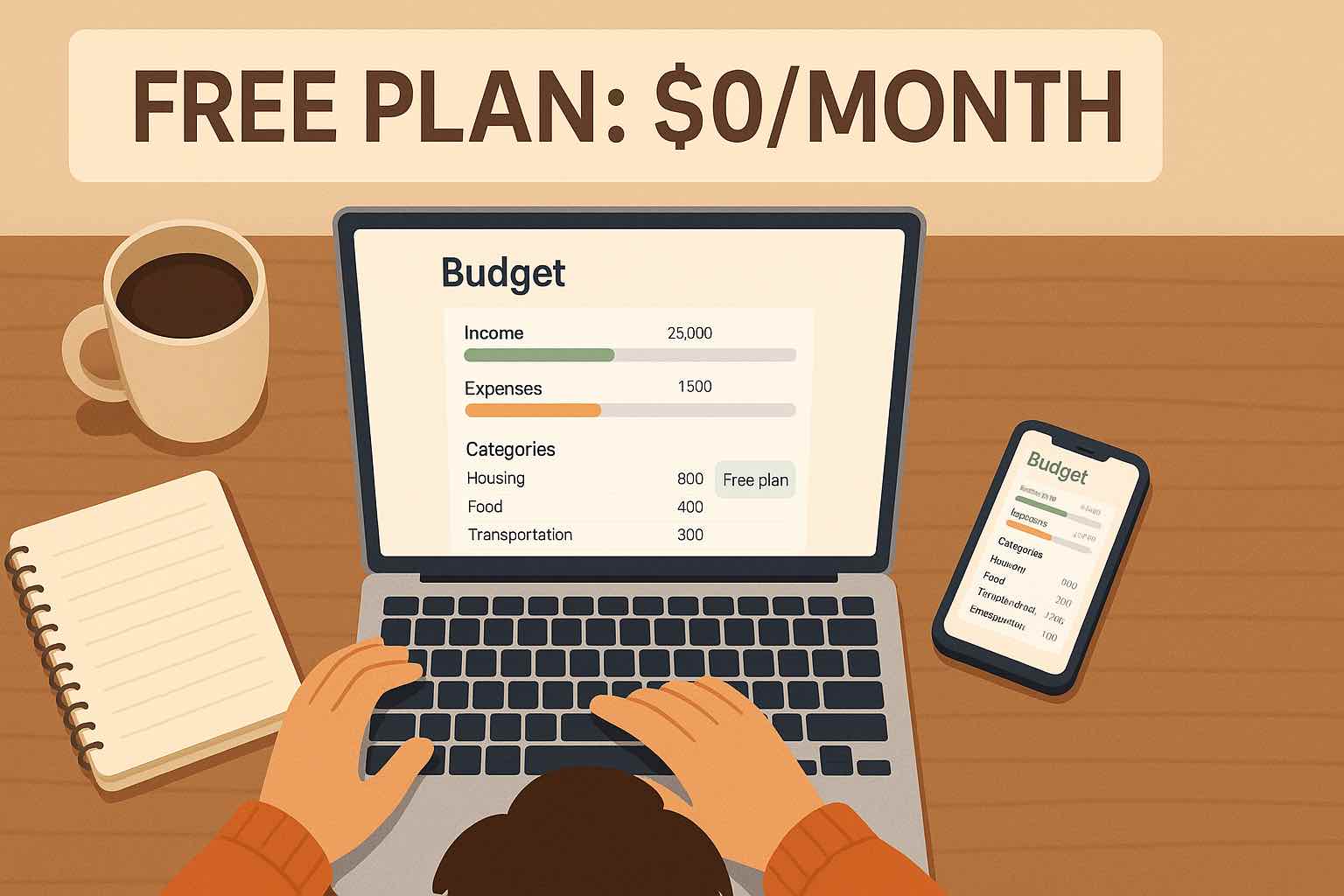
The free plan in Koody is more than a demo. It is a fully capable money tracker for everyday use. Here is what you can do on the free tier without adding a card.
Add Accounts And See Your Money In One Place
You can create accounts that match your real life: everyday spending, savings, credit cards, cash, and even separate pots for side hustles. Each account has its own balance and transaction list, so you are not bouncing between five different banking apps to understand where you stand.
Track Income And Spending
You can log income and expenses directly in the app. Pick the account, choose a category, enter the amount, and add a short note if it helps you remember what it was. It works just as well for card payments, bank transfers, and cash in your pocket.
Over time, this becomes a simple but powerful habit: instead of wondering where your money went, you have a clear record in front of you.
Categorize Your Spending
The free plan includes categories for things like housing, groceries, transport, eating out, subscriptions, debt, and savings. As you use the app, you start to see how much is flowing into each area of your life.
That turns your history from a flat list of transactions into a story you can work with: "We spend this much on food", "Subscriptions cost us this much every month", "Shopping quietly adds up to this number."
Keep An Eye On Subscriptions And Bills
Recurring costs have a way of sneaking up on you. Koody helps you keep track of subscriptions and regular bills, so you have a clear sense of your "minimum monthly burn." You can see what is still in use, what you may have forgotten about, and what you might want to cancel or renegotiate.
Instead of combing through old statements, you have one place to review everything that hits your account month after month.
Upload Receipts When You Need Them
On the free plan, you can attach receipt photos to your transactions. That is handy for returns, reimbursements, tax records, or simply for your own peace of mind when a purchase really matters.
No more digging through your email or scrolling through your camera roll. The receipt sits right next to the transaction it belongs to.
Look Back Over A Year Of History
Koody keeps up to a year of history for you on the free tier. That is long enough to see seasons in your spending: how your costs change over holidays, how often annual bills land, and what a "normal" month actually looks like.
When you can see a full year, you stop feeling blindsided by expenses that repeat like clockwork.
Use Koody AI For Guidance
The free plan also includes Koody AI, an in-app copilot you can talk to about your money. You can ask simple questions about your spending, your habits, or your goals, and get answers grounded in the data you have already entered.
Instead of staring at charts and guessing what to do next, you can use the AI to turn those numbers into clearer decisions, in plain language, without leaving the app.
Calculate Your Tax Set-Aside
As you log income over the year, you can use Koody's tax estimate tool to get a rough idea of how much to set aside. It is not a replacement for professional advice, but it is a helpful way to avoid being completely surprised when tax season rolls around.
Having a ballpark figure in the same place where you track your income makes it easier to put money aside and plan ahead.
Use It On Mobile And Desktop
Koody works on both mobile and desktop, so you can add transactions on your phone in the moment and sit down at a bigger screen when you want to review the month. You do not have to choose between "phone app" and "spreadsheet"; you get the best of both worlds.
Using Koody Without Linking Your Bank
A lot of budgeting apps push you to connect every bank account as soon as you sign up. That can be convenient, but it also makes some people uncomfortable - especially if they are just testing the waters or prefer to keep tighter control over where their data goes.
For people comparing free budget apps without linking accounts, this is usually the deciding factor: you can still build a complete tracking workflow without handing over bank credentials.
Koody is deliberately built to work well even if you never connect a bank. You can create accounts manually, set starting balances, and record every transaction yourself. If you prefer a middle ground, you can import statements via CSV instead of using live connections.
This manual-first design means you can start small: try the app, build the habit of tracking, and only add more automation if and when you are ready. You never have to hand over bank credentials just to find out whether the app suits you.
Where The Free Plan Ends And Paid Plans Begin
With all of that on the free tier, it is fair to ask where the line is. The short version is that the free plan is built for honest tracking, while the paid plans are built for deeper planning, recurring transactions, exports, and imports.
If all you need right now is a place to see your accounts, log income and expenses, keep an eye on subscriptions, store receipts, ask a few questions of the AI, and look back over a year of history, you can comfortably stay on the free plan.
If you reach a point where you want more structure - formal budgets and targets, longer history, recurring transactions, exports, or heavier use of imports - that is when upgrading starts to make sense.
The key thing is that you are not pushed into that decision on day three. You can live on the free side for as long as it serves you and move up only when it genuinely feels worth it.
How To Use Koody As Your Main Money Tracker
If you are determined to keep costs down but still want a proper system for your money, you can absolutely treat Koody's free tier as your main budgeting tool. Here is a simple way to get going.
Step 1: Add Your Core Accounts
Start by adding the accounts you actually use: the one your salary lands in, the card you spend on, the savings pot you care about, and any regular cash you keep on hand. Once those are in place, you have a single place to see what you own and what you owe.
Step 2: Log The Last Week Or Two
Bring the recent past into the app. Add income from the last week or two and record the expenses you remember clearly - groceries, transport, eating out, bills. You do not need to rebuild your entire financial history on day one; you just need enough to see a pattern.
Step 3: Look For Patterns And Surprises
Once you have a bit of data, look at your spending by category. Notice which areas are bigger than you expected, which subscriptions you might not be using, and where small purchases quietly add up. This is where tracking starts to feel less like admin and more like insight.
Step 4: Add Gentle Guardrails
Even without formal budgets, you can set rough limits for yourself in categories like groceries, eating out, and shopping. Use Koody to keep an eye on those limits as the month goes on. If later you decide you want full budgeting features, you will already have the habits and data to make them work.
For a lot of people, this is enough to replace a spreadsheet and run a simple money tracker app they can actually stick with.
FAQs About Free Budgeting And Koody
A few common questions come up whenever people hear that they can use Koody without paying. Here are quick, honest answers.
1. Do I Have To Pay To Use Koody?
No. Koody has a free plan you can keep using as your main money tracker for as long as you need. It works well as a free personal expense tracker app with account tracking, categories, receipt upload, and up to a year of history.
2. Do I Need A Card Or Subscription To Get Started?
No. You can create an account and start using Koody without adding a card. If you ever choose a paid plan later, pricing and timing are shown clearly before charges start.
3. Do I Have To Connect My Bank?
No. You can use Koody without linking bank accounts. Many people add accounts manually, record transactions, and import statements by CSV when they want faster catch-up.
4. Are Free Budgeting Apps Safe?
Safety depends on how an app stores data and what permissions it needs. A manual-first setup like Koody can reduce risk because you can budget and track expenses without sharing live bank credentials.
5. What If I Outgrow The Free Plan?
If your needs change, you can upgrade for longer history, recurring transactions, exports, and deeper planning. If you stay on the free tier, your core tracking workflow still works.
Final Thoughts: A Free Budgeting App That Respects You
You do not need another "free" app that stops being useful the moment you start taking your money seriously. You need something that respects the fact that you might be on a tight budget yourself, and still deserves a clear picture of your finances.
Koody's free plan is designed to do exactly that. It gives you solid tools for tracking, simple ways to spot patterns, and a calm space to think about your next steps - all before you ever spend a cent.
If and when you decide you want more - deeper planning, longer history, recurring transactions, exports, or imports - the paid plans are there. Until then, you can treat Koody as your everyday budgeting app and know that the word "free" actually means something.
New here? Start tracking your spending in Koody today.